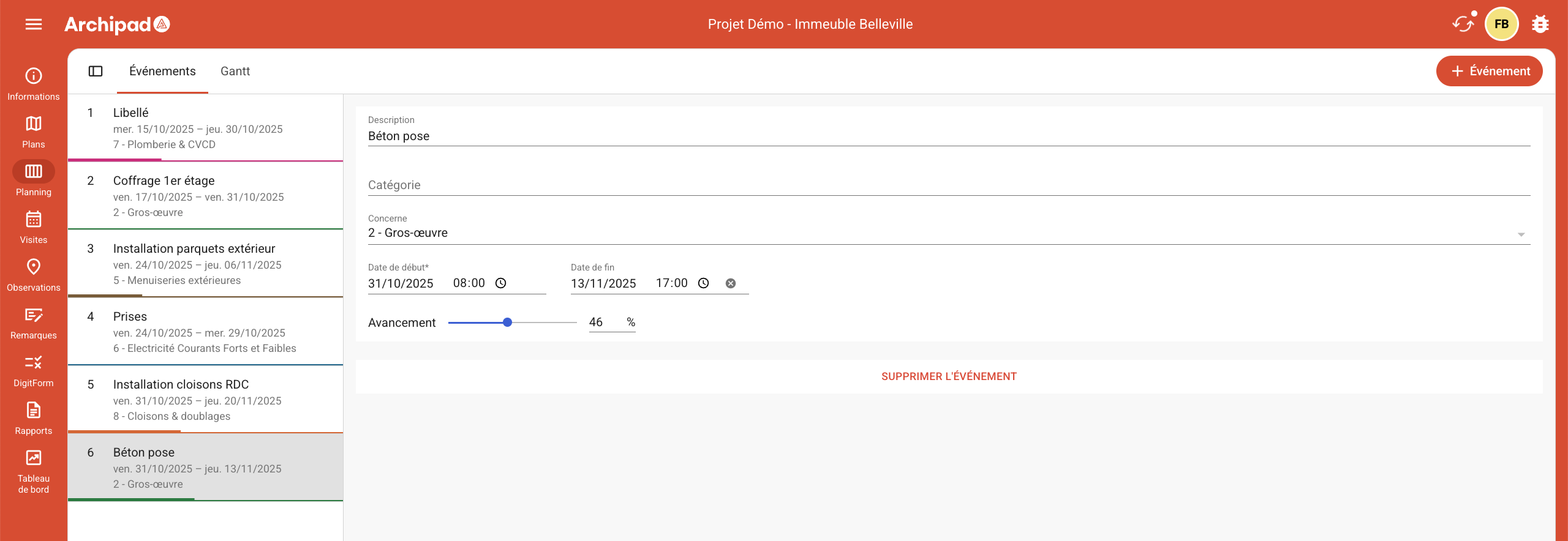
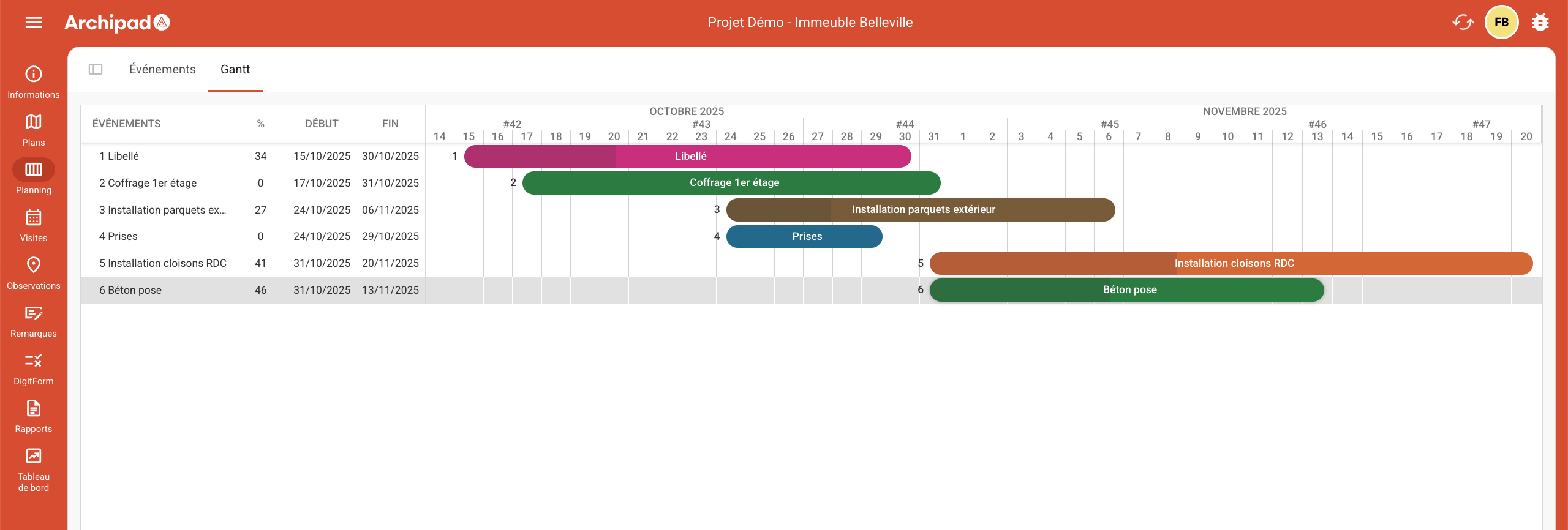
The Gantt view gives you a comprehensive overview of your project’s progress.
This feature is available on Archipad App and Archipad Cloud.
Archipad App
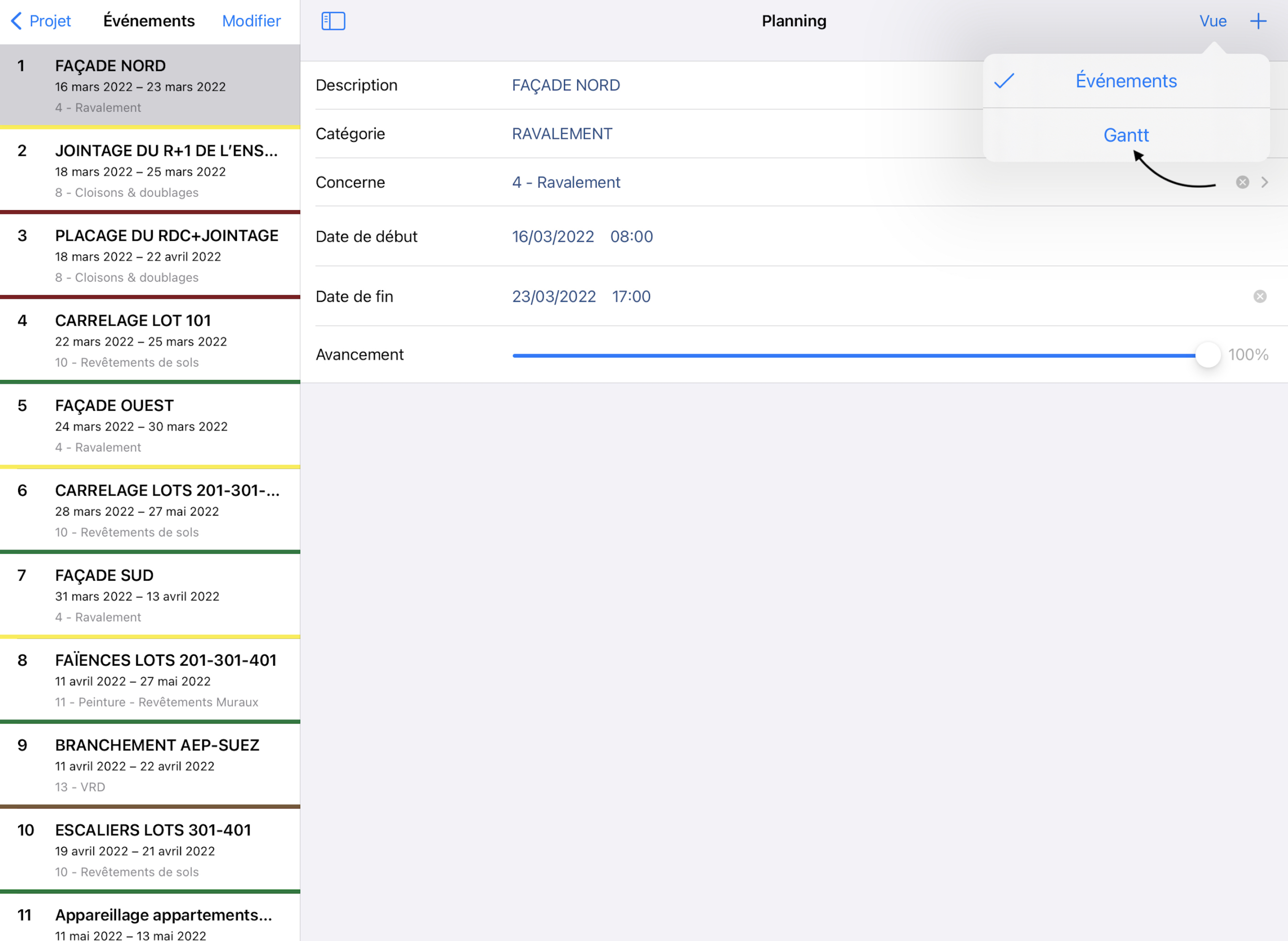
Access the Gantt view on Archipad App:
Open the “Schedule” menu,
The “Events” view is displayed,
In the top right corner of the screen, tap the “View” button,
Select the Gantt option from the available choices.
You have two methods to access the Events view:
The first is to select the Events option from the View button located in the top right corner of the screen.
The second is to tap the Events button located in the top left.
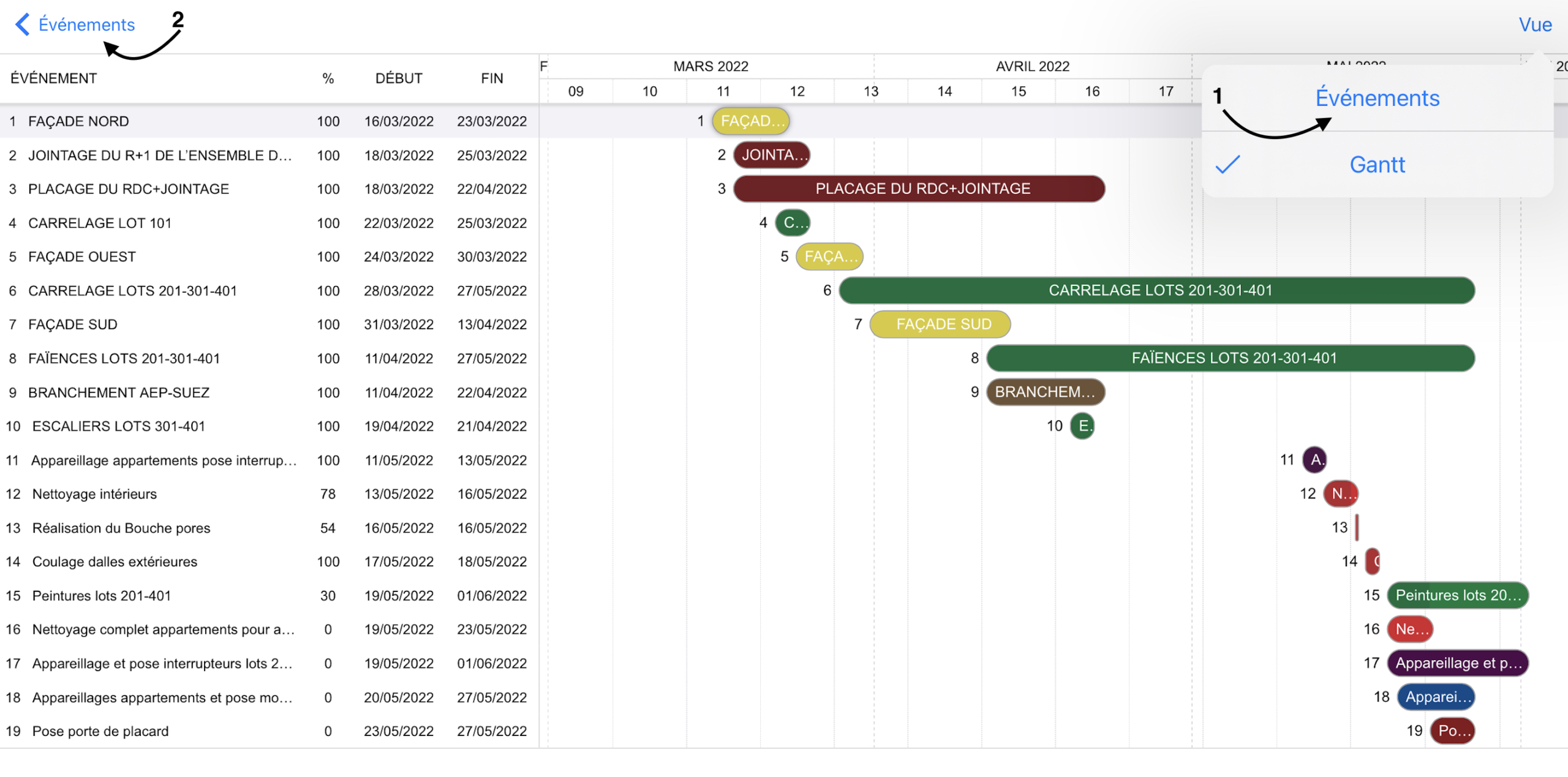
In the Gantt view, you will find the following elements:
The index of your event along with its title.
The progress percentage of your event.
The start date and end date corresponding to your event.
What you should know:
Events that have only a start date are represented by a diamond shape.
Those with an end date identical to the start date are displayed as very compact events.
The timeline display (temporal information: months, years, etc.) is determined based on the total duration of the events.
Archipad Web
Access the Gantt view on Archipad Web:
Open the “Schedule” menu,
The “Event” view is displayed,
In the top left corner of the screen, click the Gantt button.