


The Buyers menu
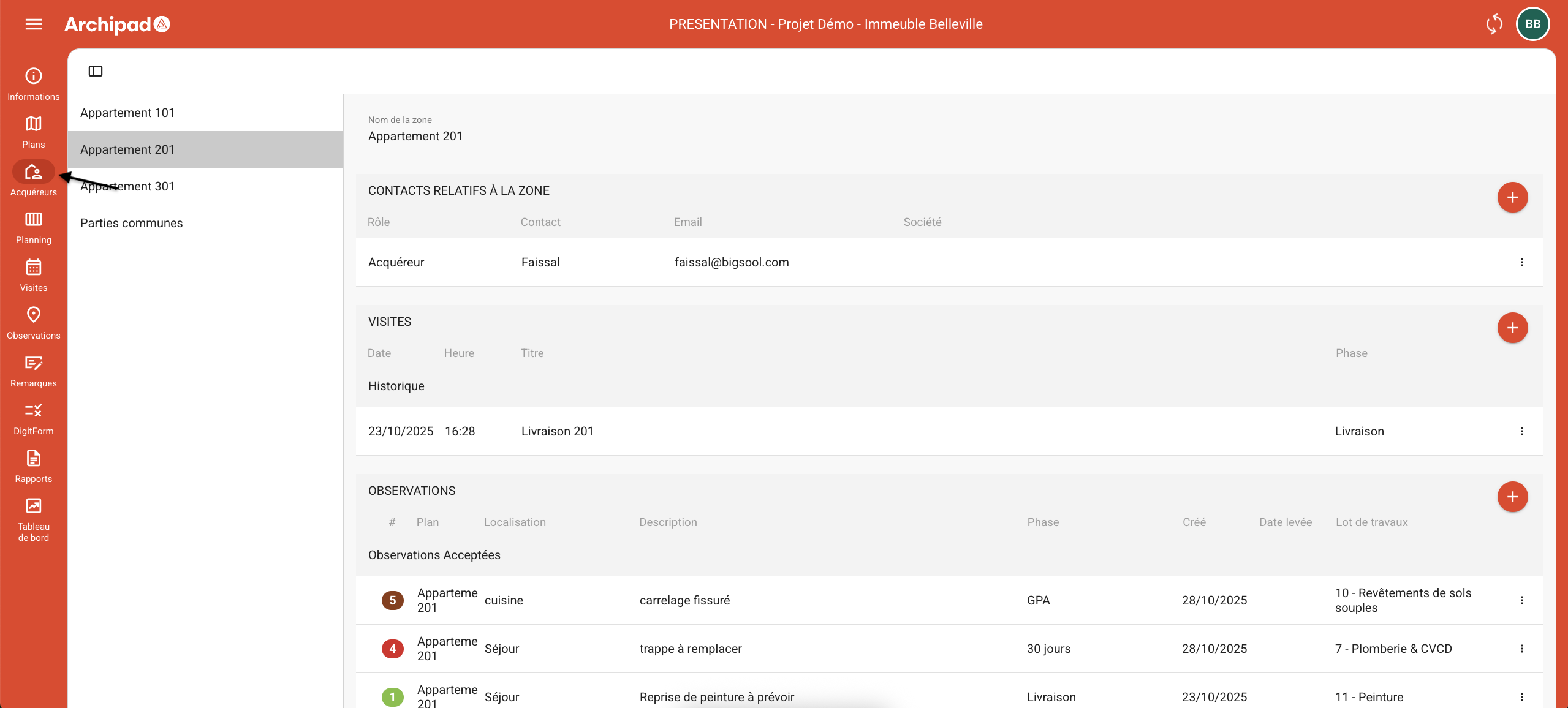
The SAV module will be available in your Project as soon as the SAV option is activated. You will find the Buyers menu located between the Plans and Planning menus.
On this Screen, you will find a complete compilation of information related to your Construction project:
Regions: Regions define Buyer Lots by grouping together information specific to each one. Each Region will contain dedicated details associated with it.
Contacts related to the Region: In this area, you will find not only the Buyers, but also the Work packages included in your Construction project.
Meetings: The “Meetings” Section allows you to schedule the necessary interventions to resolve issues identified during the different Phases managed by the After-Sales Service (SAV) teams. It also provides an overview of past and Upcoming Meetings.
The Observations Section allows you to report a Defect directly from a Plan, then assign them to the relevant Contractors.
Plans, Reports, as well as Documents such as warranty deeds and/or notarial deeds.
Only the Punch items Created during Buyers’ Meetings are accessible in Archipad SAV. To view site Punch items, simply Use the other tabs available in Archipad Cloud.
In Archipad Developer, each Buyer Lot has a defined Region containing the property’s Plans and essential Buyer Information (name, Email, Phone number). This data allows the Buyer to access Archipad SAV and Select the Region of their property. Any changes made in Archipad Developer are automatically updated in Archipad SAV.