


From the Admin Console, you can Invite users to join your Archipad Contractor.
Once the invitation is Accepted, the account is attached to your organization and can be managed from the Accounts menu, track their Status, assign them a license, or remove their access if needed.
Add an account
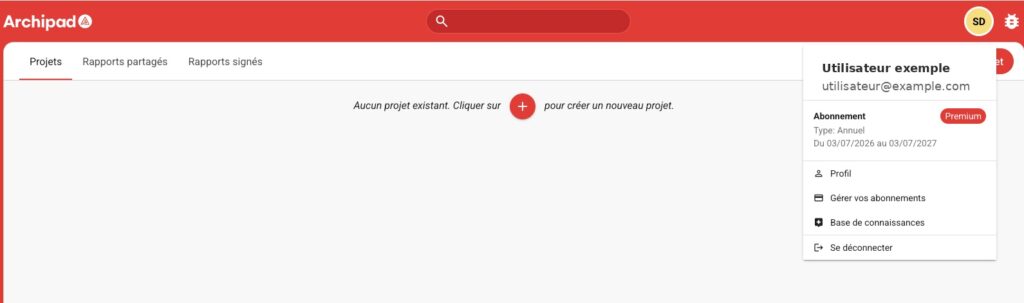
- From Archipad Web, open your user Profile, then click on Manage your subscriptions.
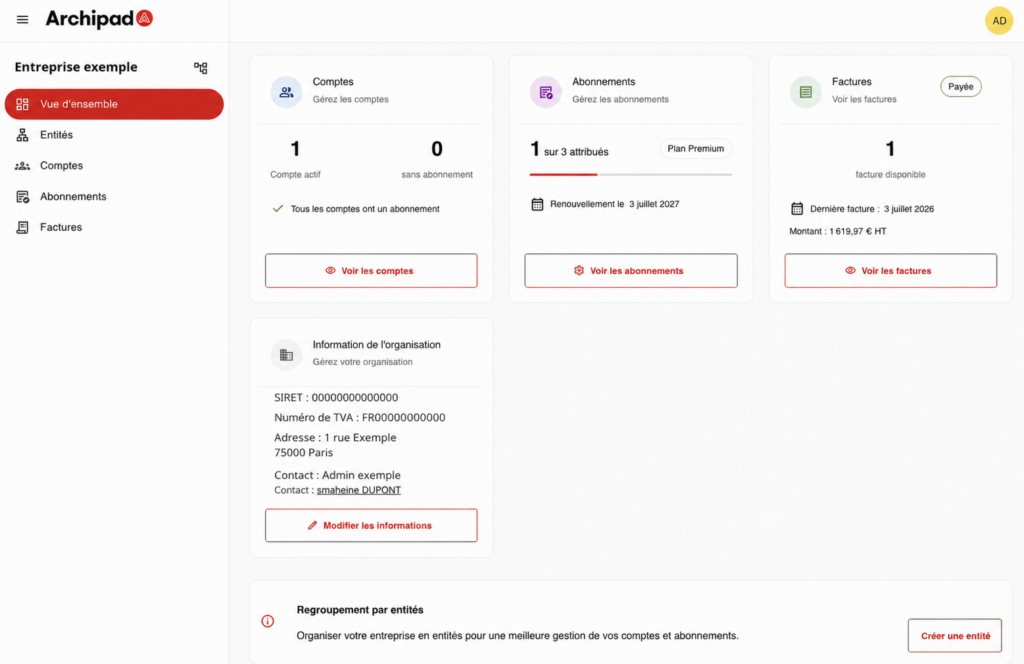
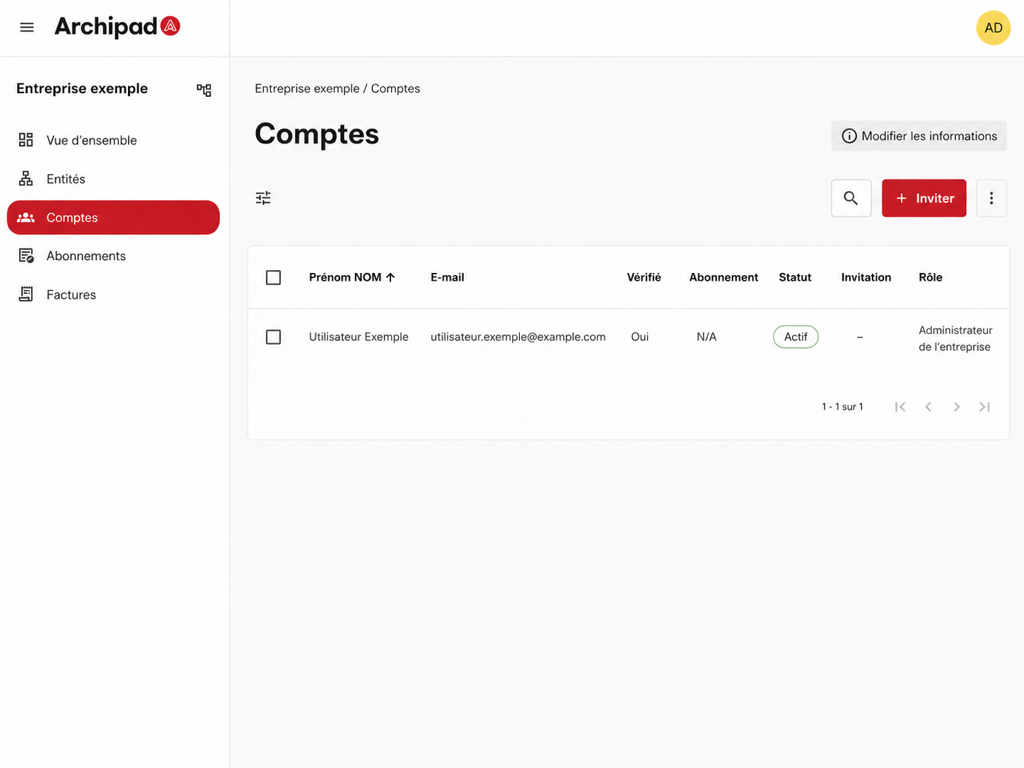
- In the Admin Console, open the Accounts menu.
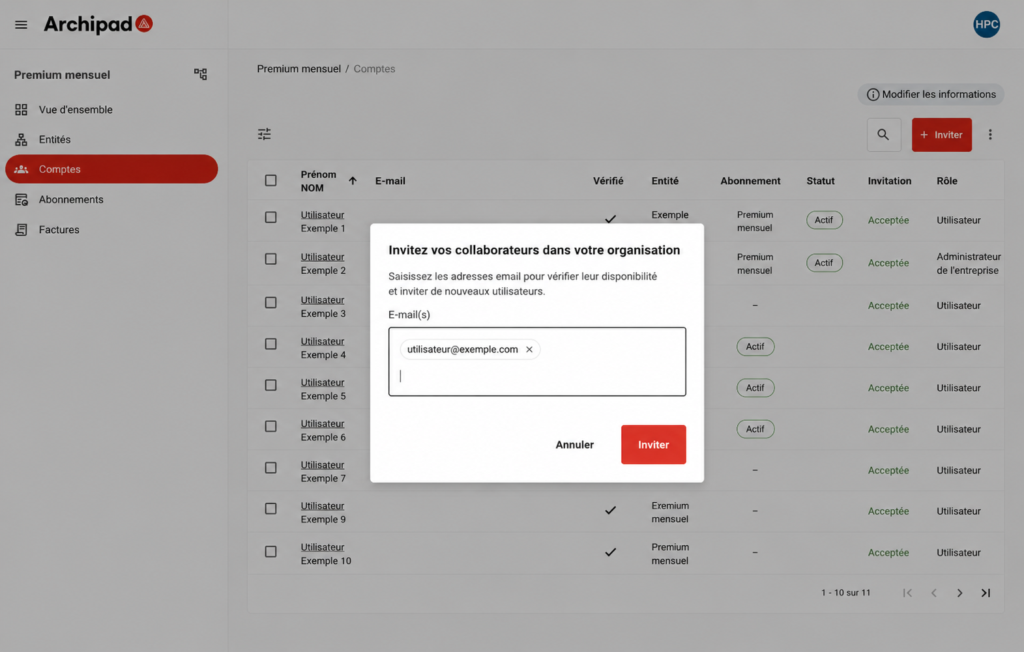
- Click on Invite, then enter the Email Address of the person to invite.
- Send the invitation.
An invitation is sent by Email to the User. After acceptance, their account is attached to your Contractor.

If your subscription has available seats, you can then assign a license to this account from the Accounts menu.