


Available on
- 🖥️ Archipad Web
- 🤖 Android (same steps as the Web version)
- 📱 iPhone and iPad
Modify a comment
- Open the Observation containing the comment you want to modify.
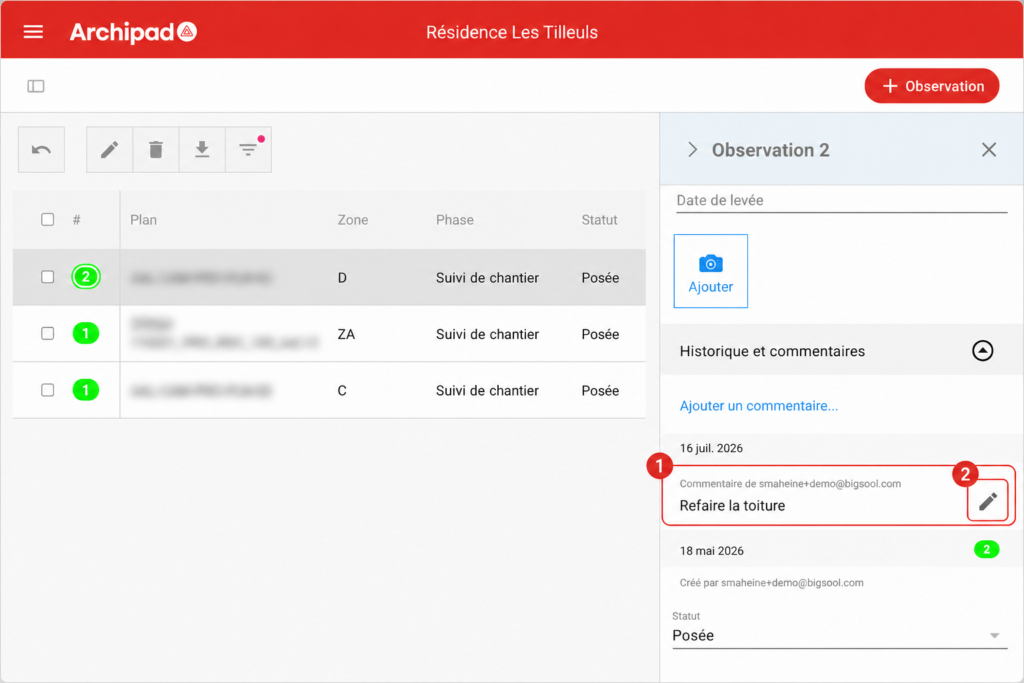
- In the History and comments section, locate your comment.
- On the Web, select the pencil icon. On tablet, tap directly on the comment to make the field editable.
- Edit the text, then confirm the change.
Good to know
You can only modify comments that you authored. Comments published by your collaborators cannot be modified from your account.