


From the Admin Console, you can view and manage the payment method associated with your Archipad subscription.
This action is reserved for company administrators.
Modify your payment method
- From Archipad Web, open your Profile, then click Manage your subscriptions.
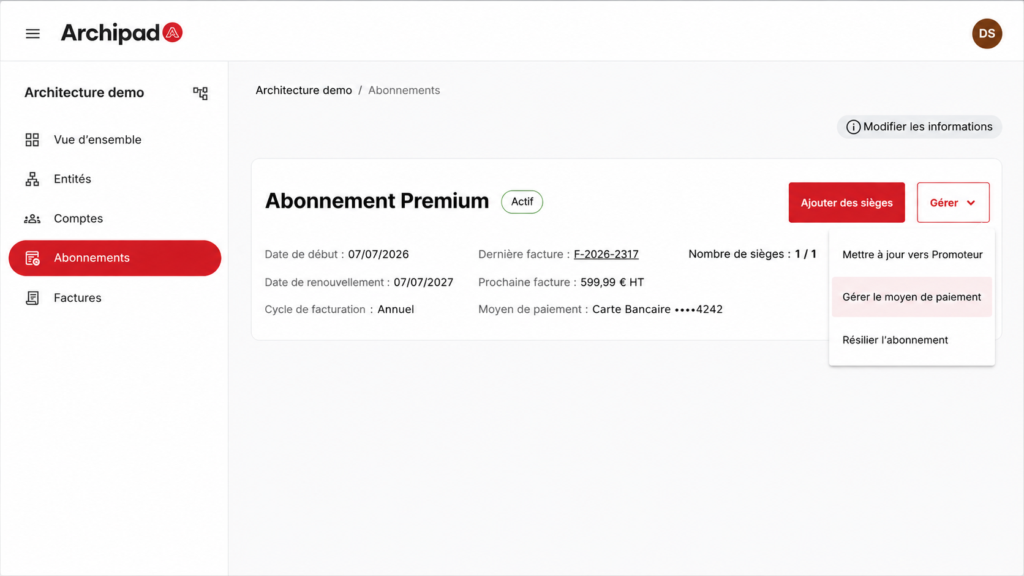
- In the Admin Console, open the Subscriptions menu.
- Click Manage, then select the action related to your payment method.
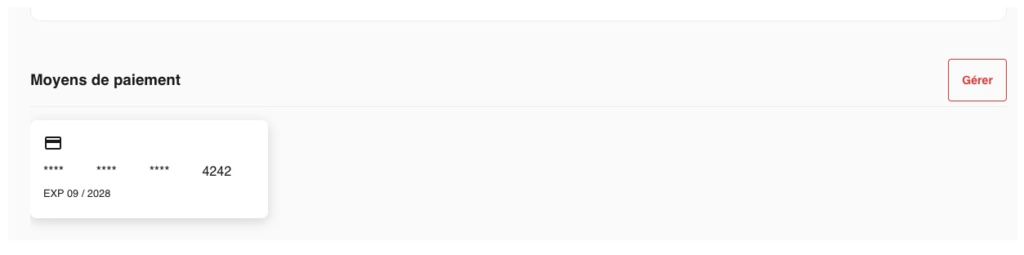
- You are redirected to a secure page where you can Update your payment method.
The Updated payment method will be used for future payments related to your Archipad subscription.