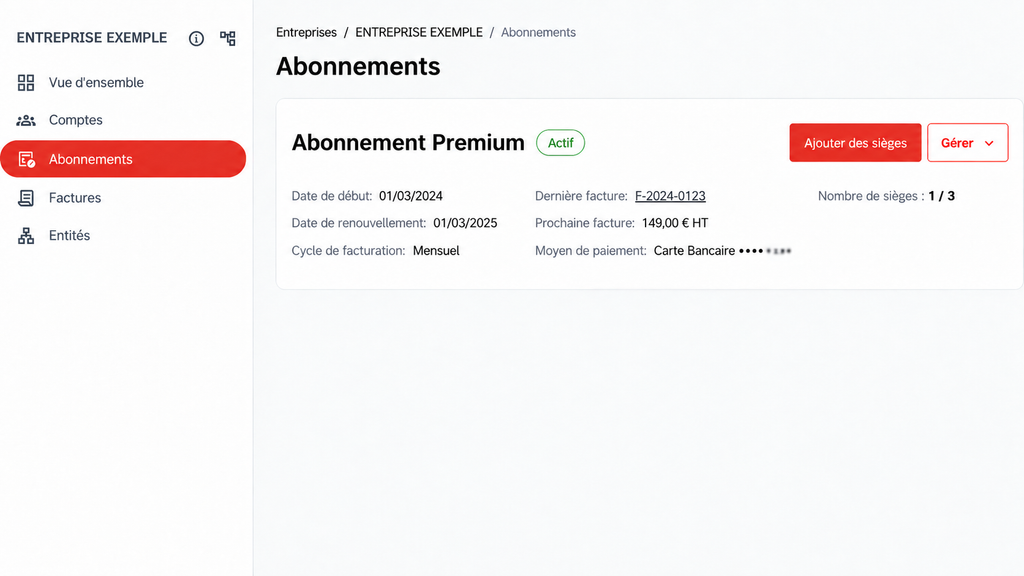
To assign a seat to a User, they must first have accepted the invitation to join your Contractor. Until the invitation is accepted, the license cannot be assigned.
Assign a seat
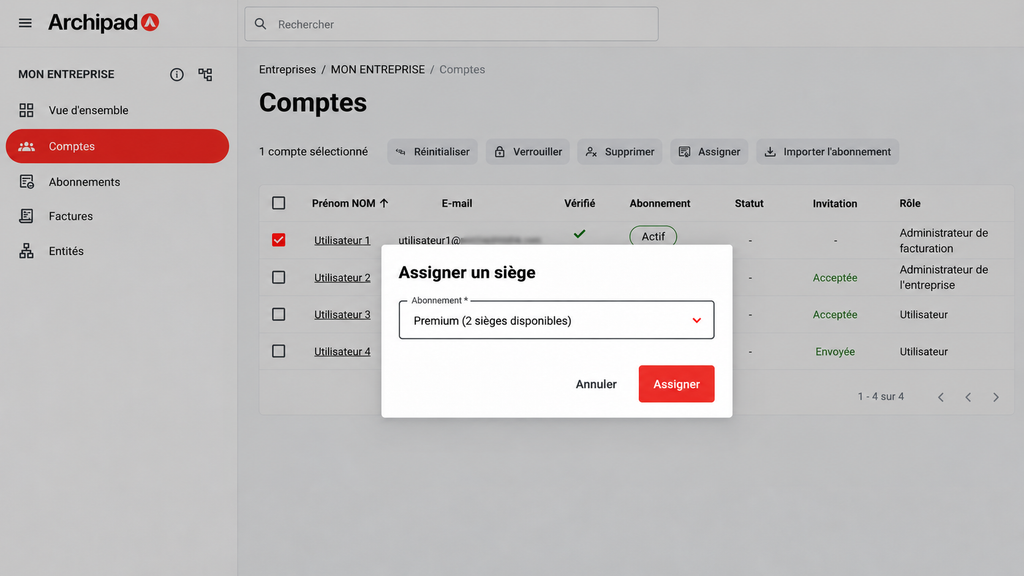
- Open the Accounts tab.
- Select the User in question.
- Click Assign.
- Choose the available subscription, then confirm.
The license is immediately activated for the User.
Remove a seat
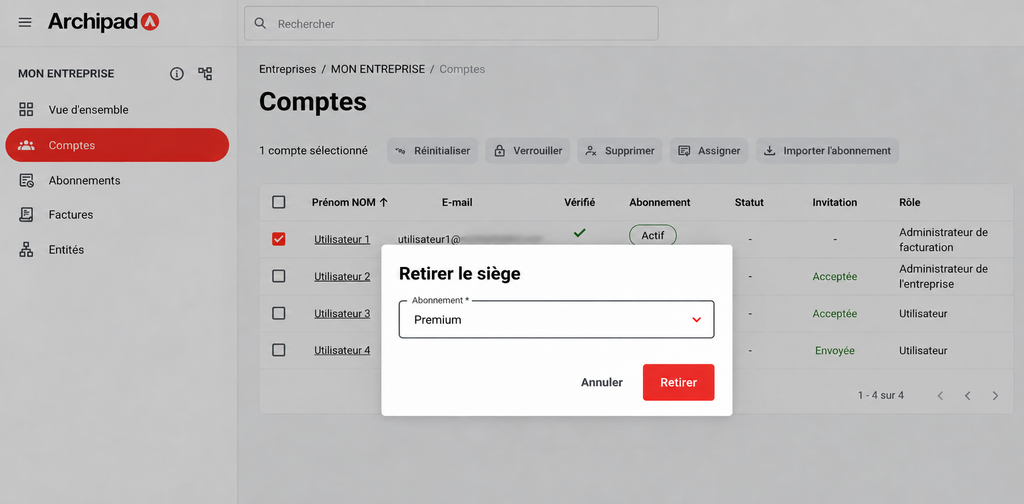
- Open the Accounts tab.
- Select the User in question.
- Click Remove.
- Confirm the action.
The license is freed up and becomes available for another User.
💡 Check the Subscriptions tab to track your used and available licenses.