


Archipad Cloud
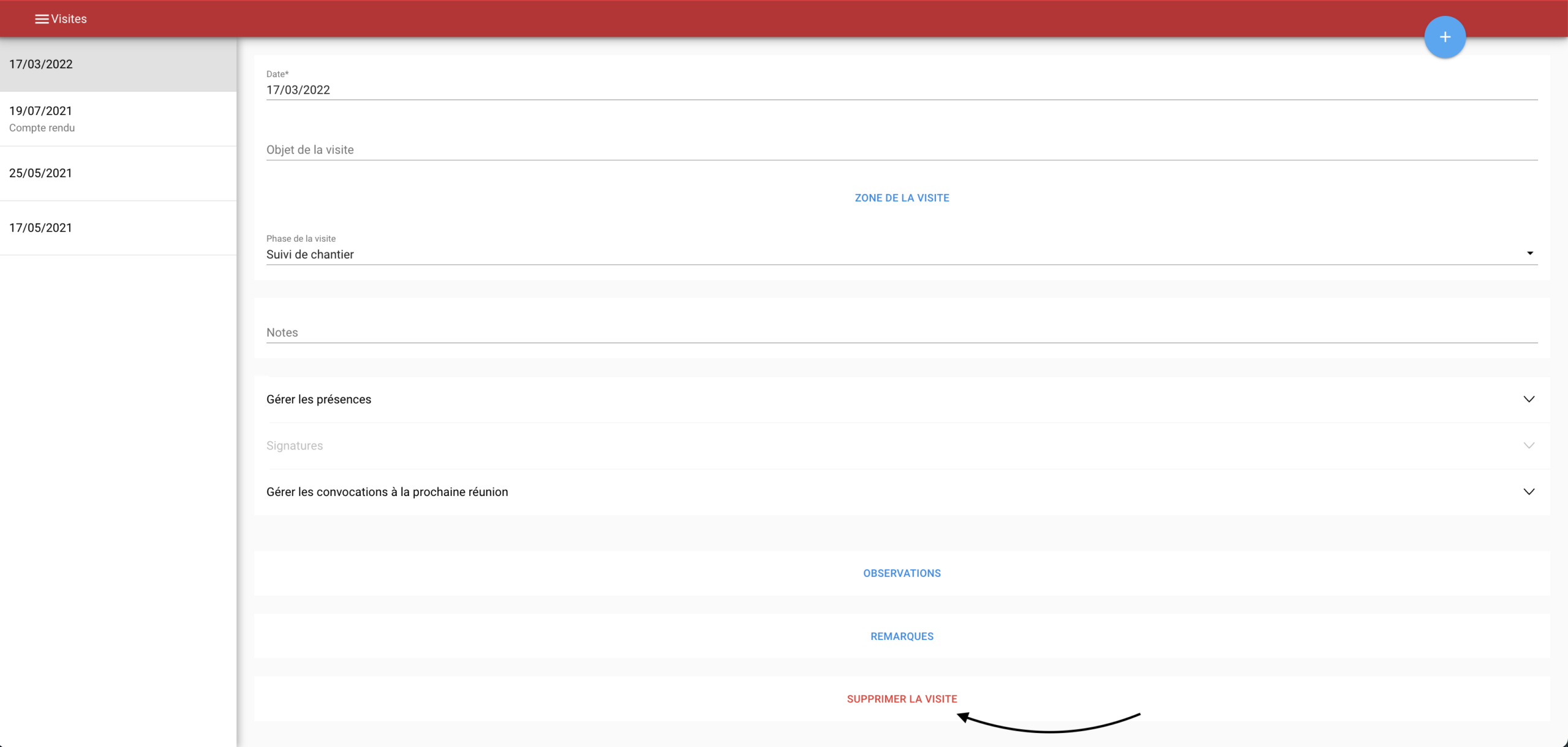
Click the DELETE MEETING button
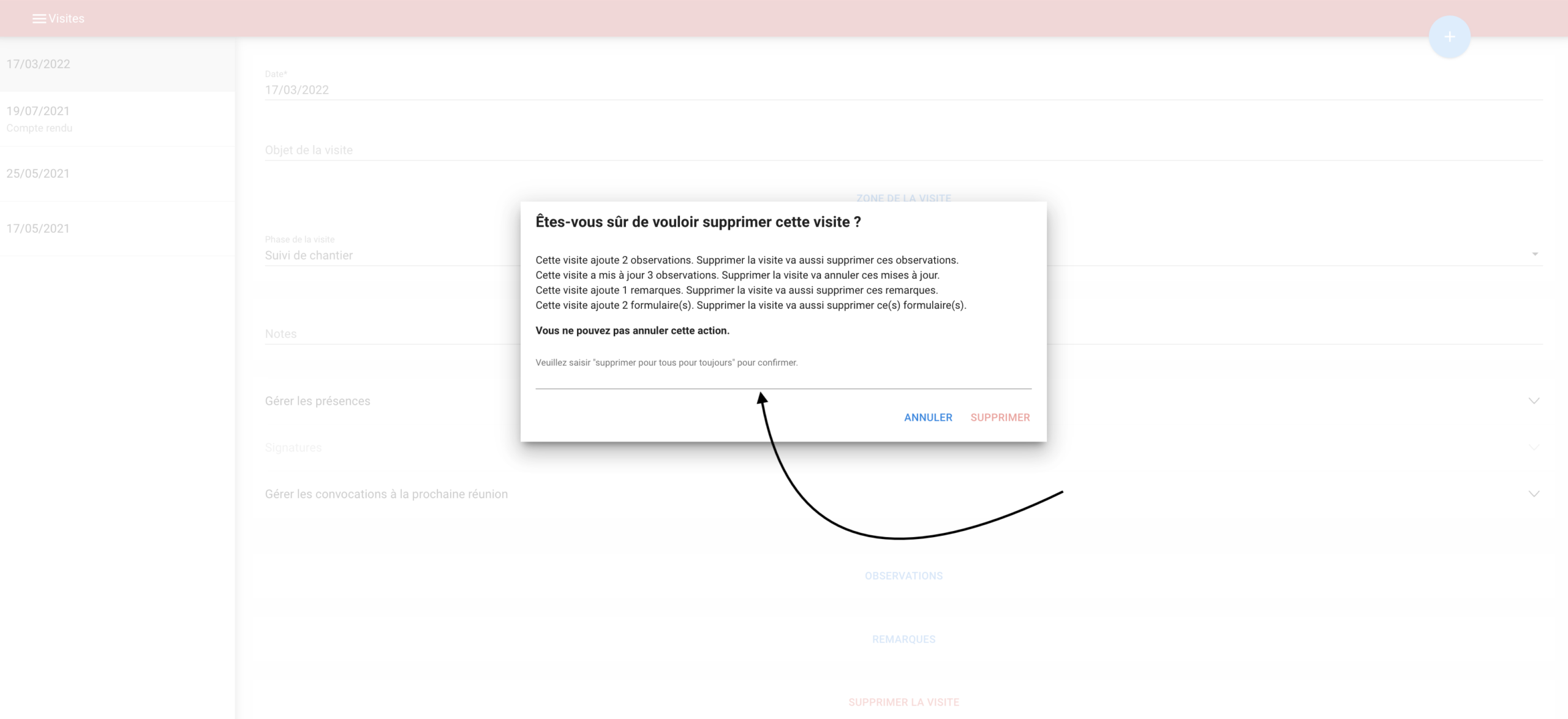
Type “delete for everyone forever” in the Are you sure you want to delete this meeting? dialog
Click the DELETE button to confirm your request
The deleted meeting will disappear from the meetings list on the left.
Archipad App
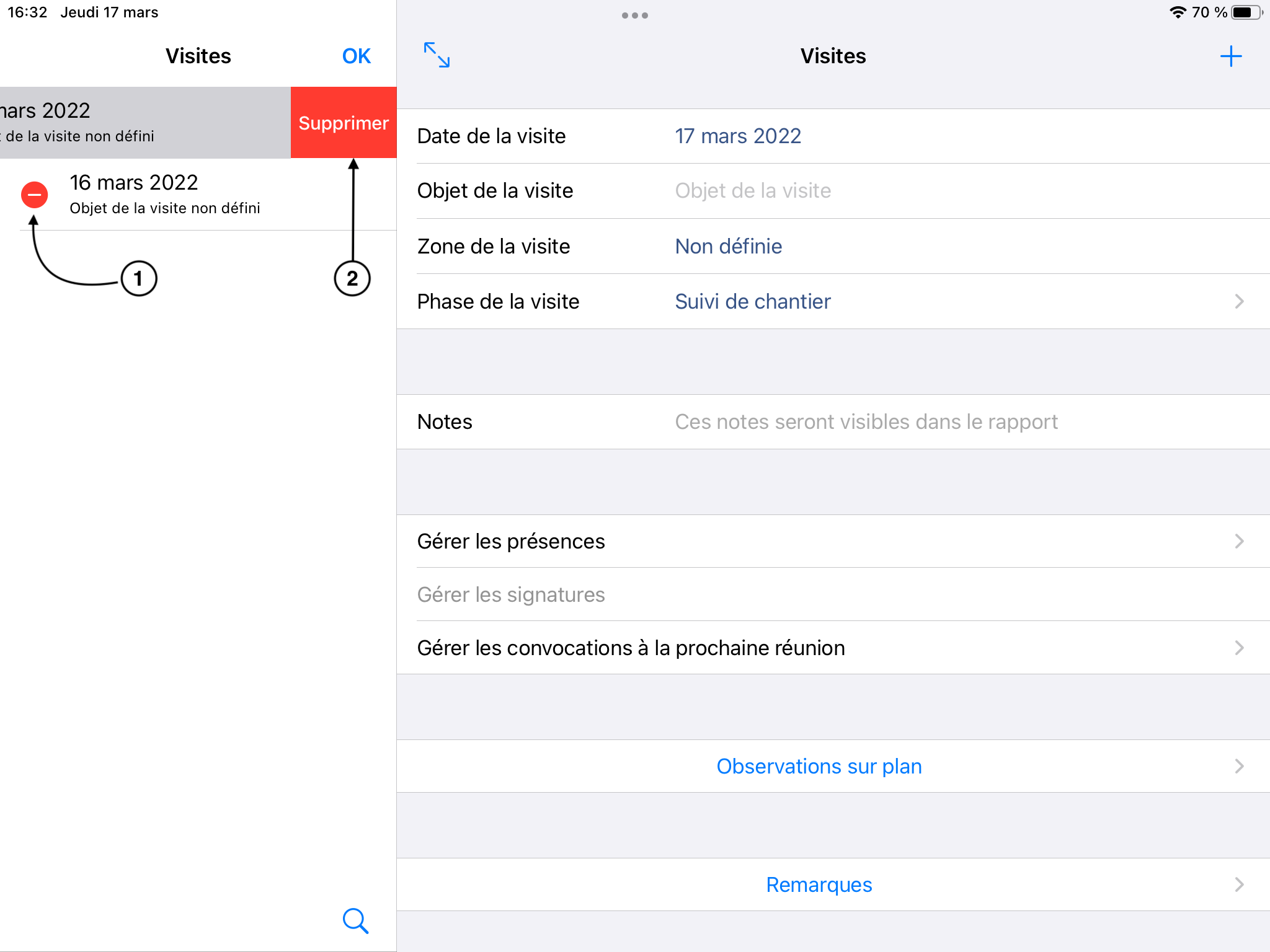
You can delete a meeting in two ways:
Option | Actions |
|---|---|
1 |
|
2 |
|
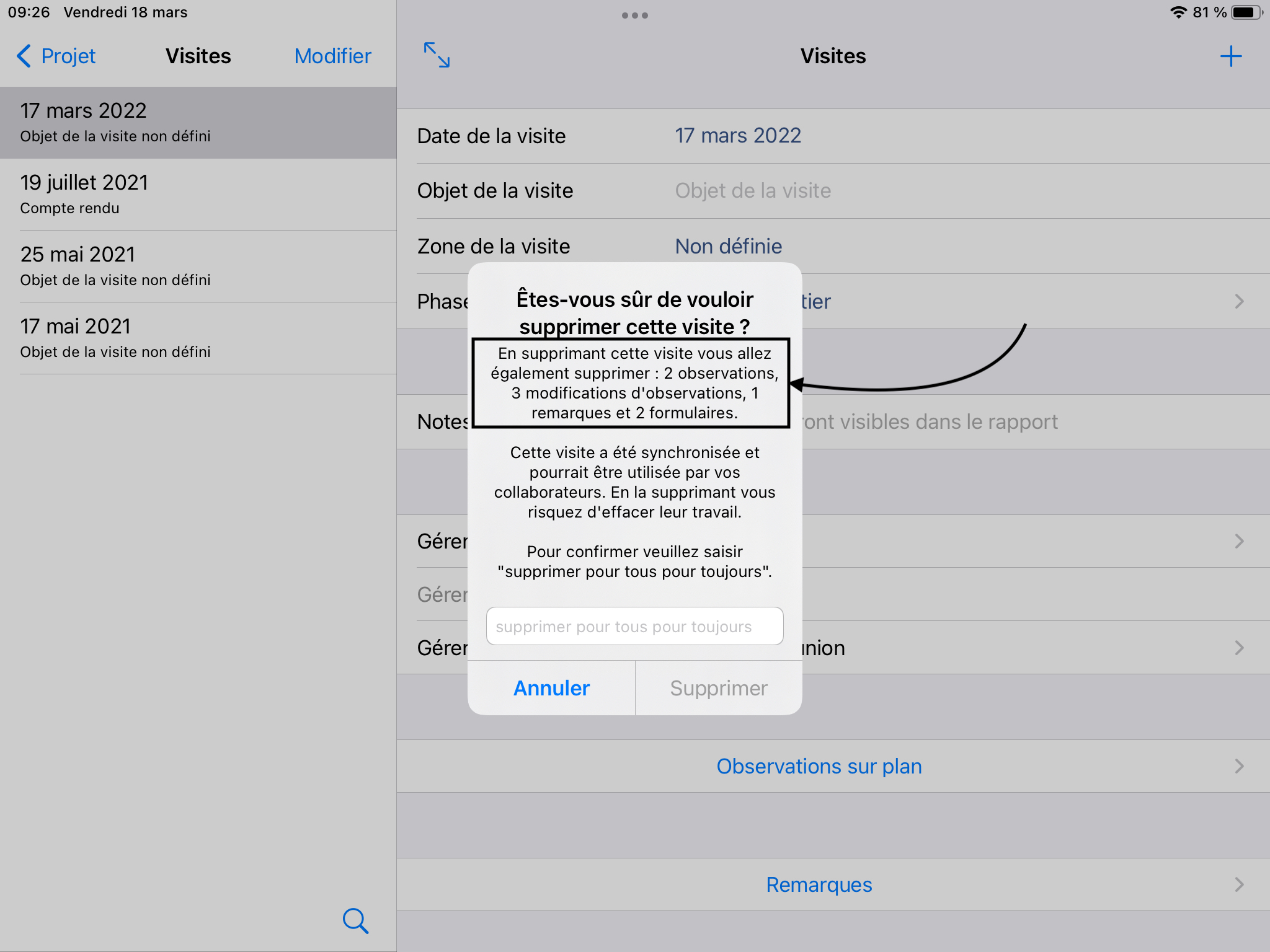
2. Type “delete for everyone forever” in the Are you sure you want to
delete this meeting? dialog
3. Click the DELETE button to confirm your request
The deleted meeting will disappear from the meetings list on the left.