


Archipad App
To delete an event, you have two options:
Select the event you want to delete, then click the “Modify” button. Next, click the red circle to the left of the event and choose the “Delete” option.
Swipe the event from right to left, then tap the “Delete” button.
Archipad Web
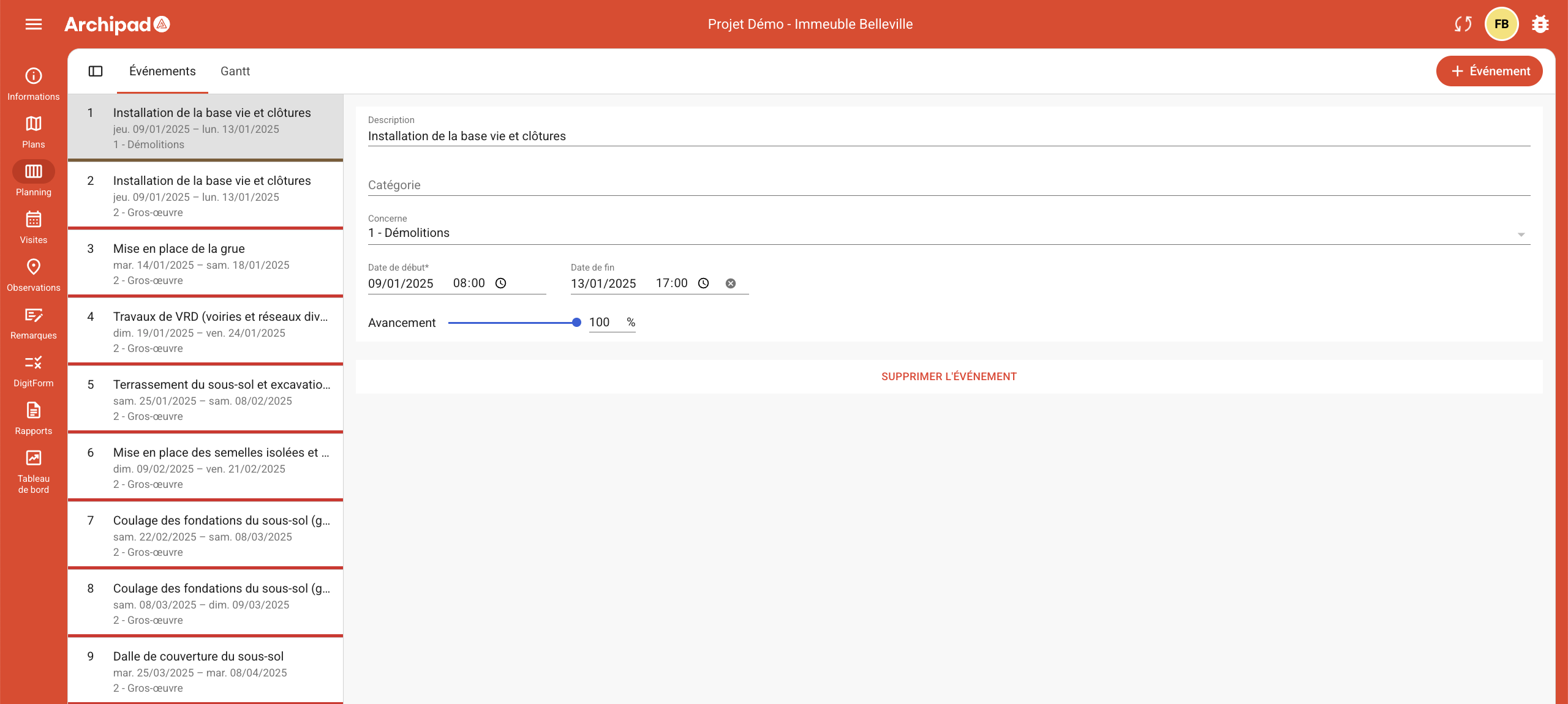
To delete an event on Archipad Web, follow these simple steps:
Click the DELETE EVENT button,
Confirm your action by clicking DELETE in the dialog box that appears: “Are you sure you want to delete this event?”.