


Available on
- 📱 iPhone and iPad
Create a copy of a Project to start from an existing base: Plans, Work packages, people, Reports, etc. The Project must be Uploaded to your device.
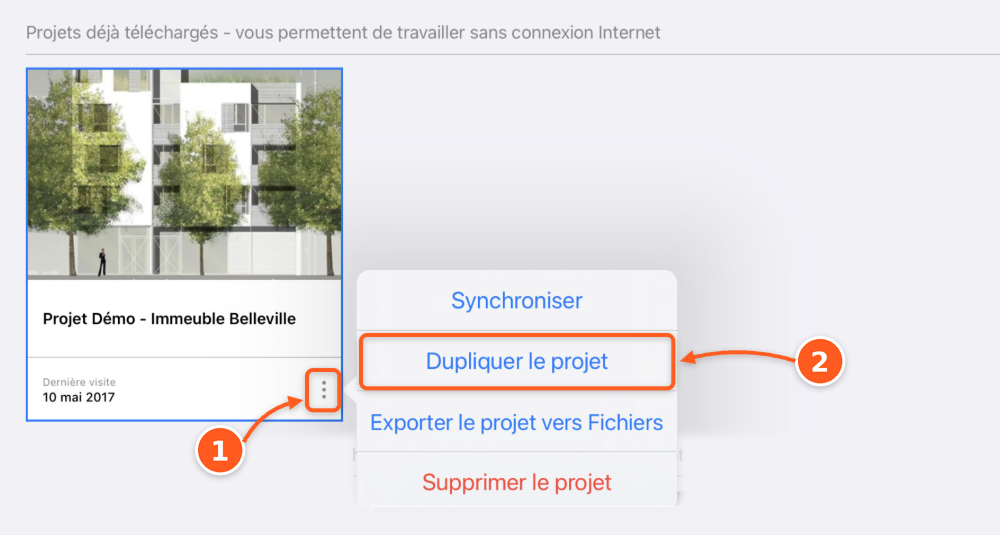
- In Downloaded Projects, tap ⋮ at the bottom of the Project card.
- Tap Duplicate Project.
- In New name, rename the copy if needed.
- Enable the items to copy. Disabled items will not be copied.
- Tap Done.
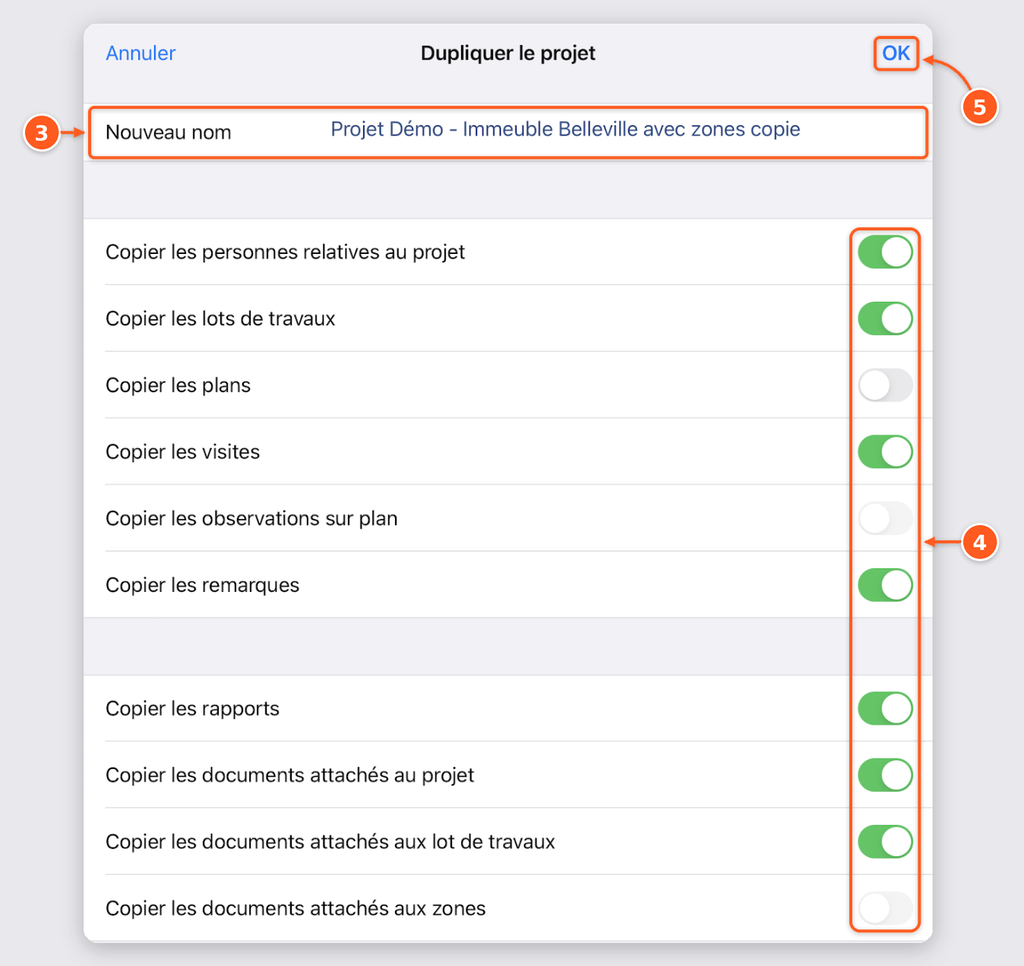
Reports and attached Documents: if you copy Reports or Documents attached (to the Project, Work packages, or Regions), you can download them during the duplication to have them right away. Otherwise, you can download them later.