


Available
- 📱 iPhone and iPad
Copy or move one or more Observations on the same Plan or on another Plan within the same Project.
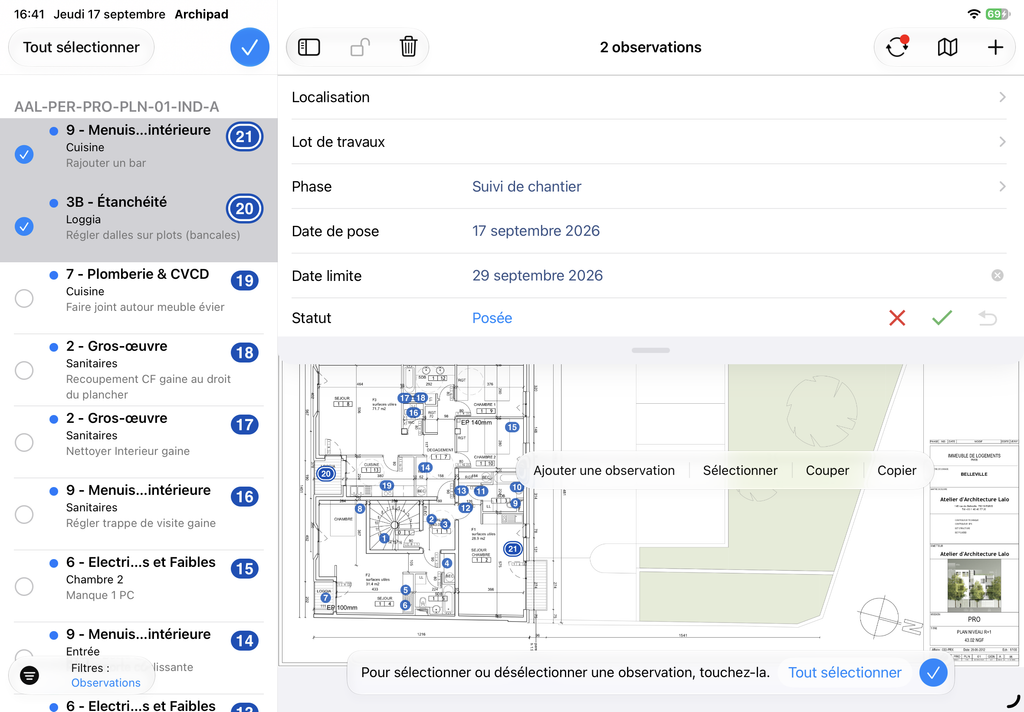
- Long press on the Plan or on the Observations List, then tap Select.
- Select the Observations you want to duplicate or move.
- Long press on the Selection to open the menu, then tap Copy to duplicate or Cut to move.
- Long press at the desired location, then tap Paste.
Use Paste Special… if you want to choose which elements to keep, such as Comments, History or Photos.
Note:
- Each pasted Observation receives a new Number.