


Available on
- 🖥️ Archipad Web
A Form definition contains the Fields and layout that will be used to create your DigitForm Forms.
Create a Form definition
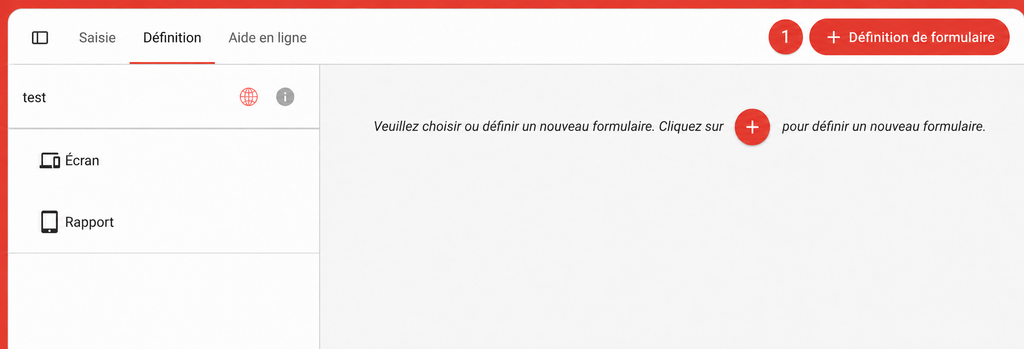
- Open your Project in Archipad Web.
- Go to DigitForm.
- Select the Definition tab.
- Click + Form definition.
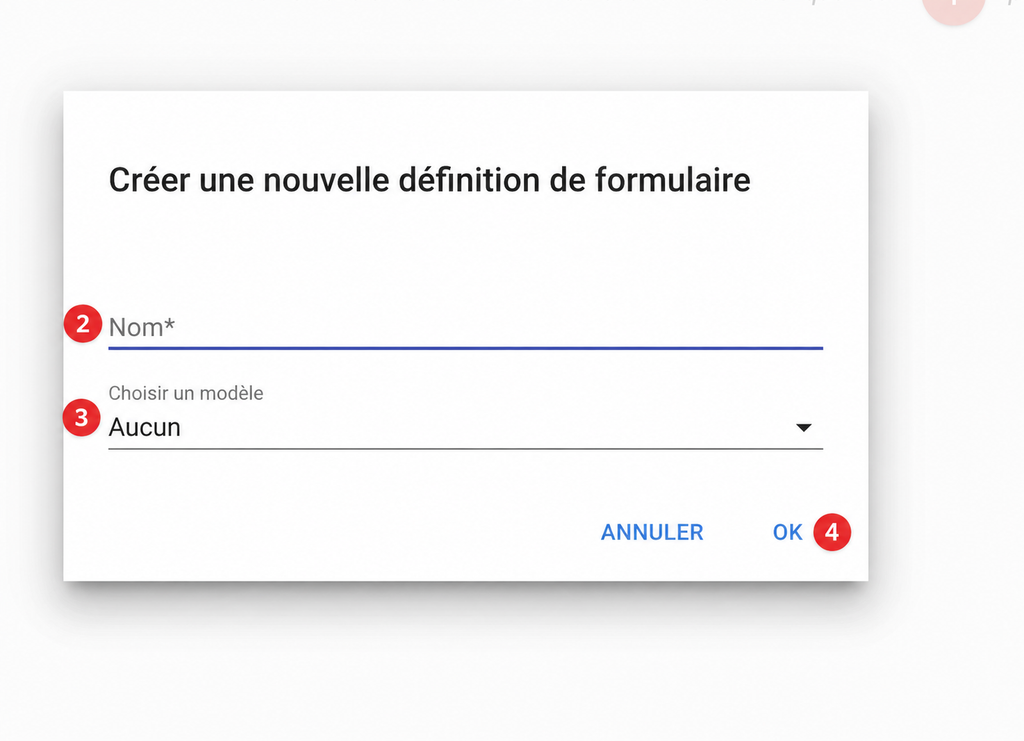
- Enter the name of the Definition.
- Select a Template or choose None to start with a blank Form.
- Click Done.
Configure and Publish the Definition
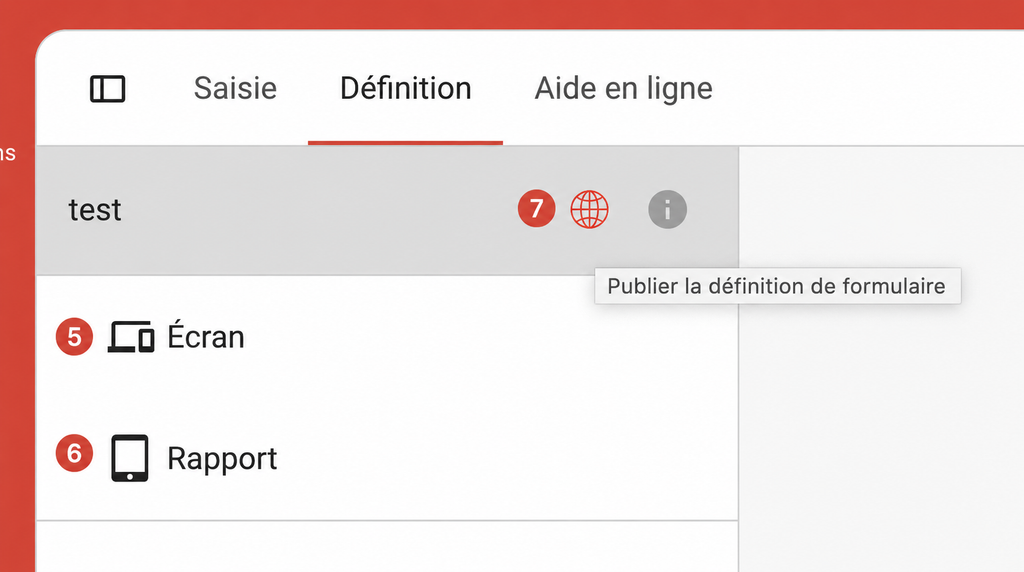
- Select Screen to organize the Fields that will be displayed during Input.
- Select Report to configure the PDF document layout.
- Click the globe icon to Publish the Definition.
Good to know
The Definition must be Published in order to be used when creating a Form.