


Available on
- 🖥️ Archipad Web
- 🤖 Android (same steps as the Web version)
- 📱 iPhone and iPad
You can Modify multiple Observations at once to quickly apply the same Information to them.
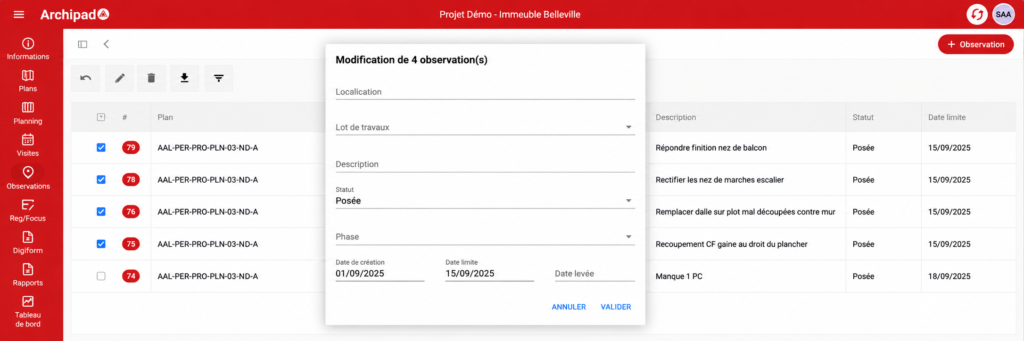
On Archipad Web
- Access the Observations table.
- Select the Observations to Modify.
- Click Edit.
- Fill in the Fields to Update in the modification window.
- Click Validate.
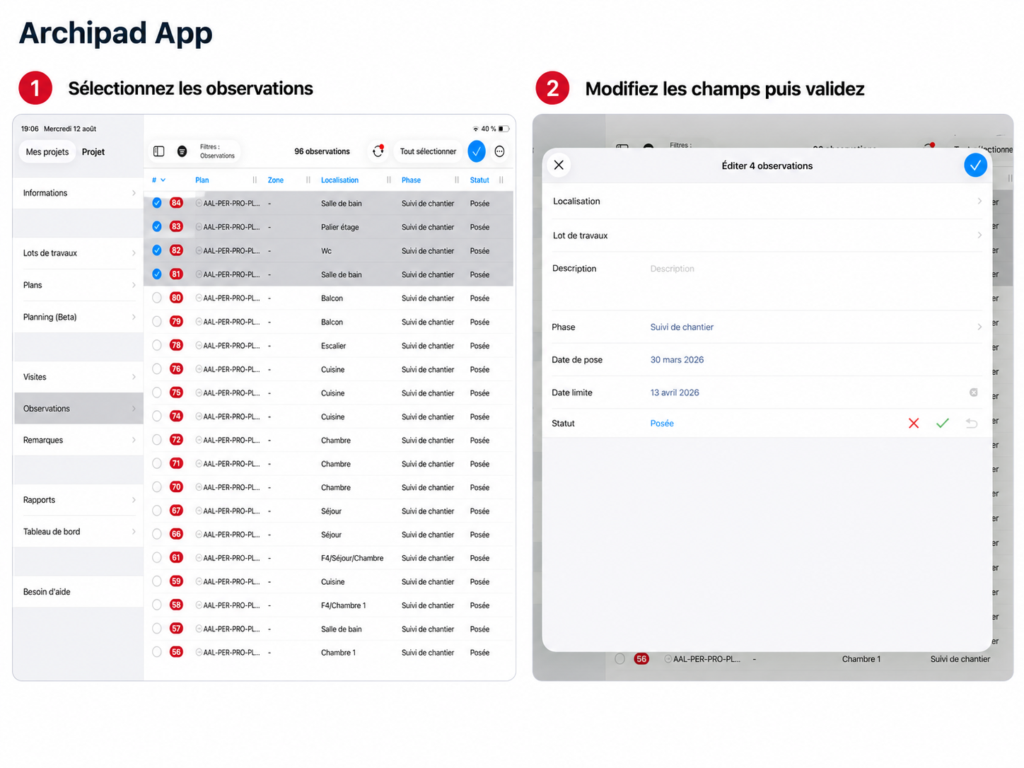
On Archipad App
- Open the Observations table.
- Tap Select, then choose the Observations to Modify.
- Fill in the Fields to Update on the Edit X Observations Screen.
- Validate the changes.
Good to know
If a Field displays a Value, it means that Value is common to All the selected Observations. If the Values differ, the Field is empty.