


Available on
- 🖥️ Archipad Web
- 🤖 Android (same steps as the Web version)
- 📱 iPhone and iPad
Add a Plan to your Project
Add a Plan to an existing Region or to the Unclassified Region so you can locate your Observations and Punch items.
On Archipad Web
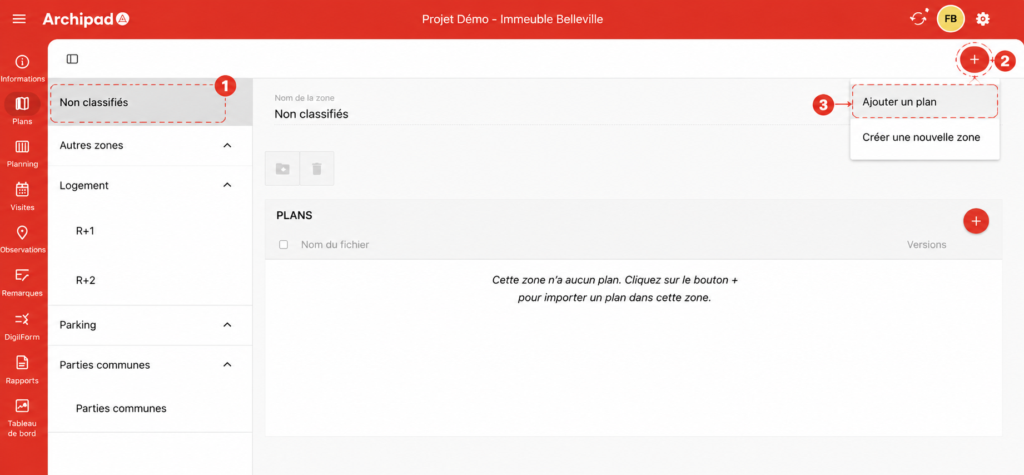
① Unclassified Region or an existing Region.
② + button.
③ Add a Plan.
Steps
- Open the Plans menu.
- Choose the location where you want to import the Plan:
- Unclassified to add the Plan without assigning it to a Region.
- An existing Region to classify the Plan directly.
- Click the + button in the top right corner.
- Select Add a Plan.
- Choose the file to import, then confirm.
On Archipad iOS
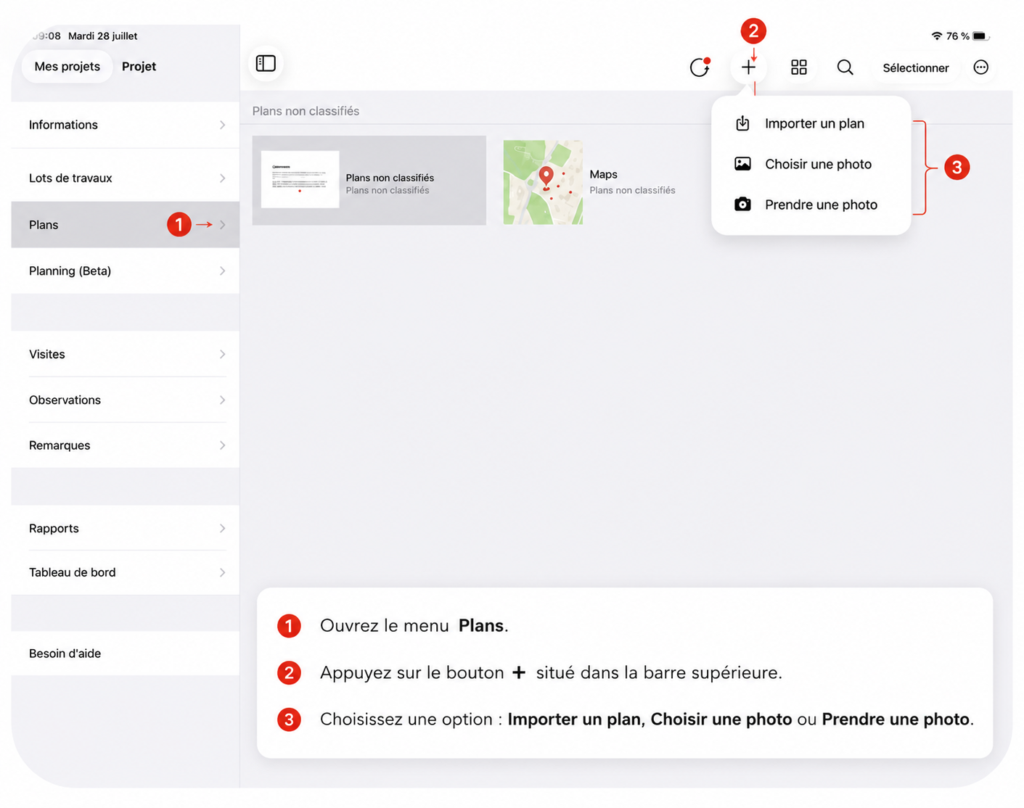
Good to know
You can Move a Plan to another Region at any time from Archipad Web.