


Available on
- 🖥️ Archipad Web
- 🤖 Android (same steps as the Web version)
- 📱 iPhone and iPad
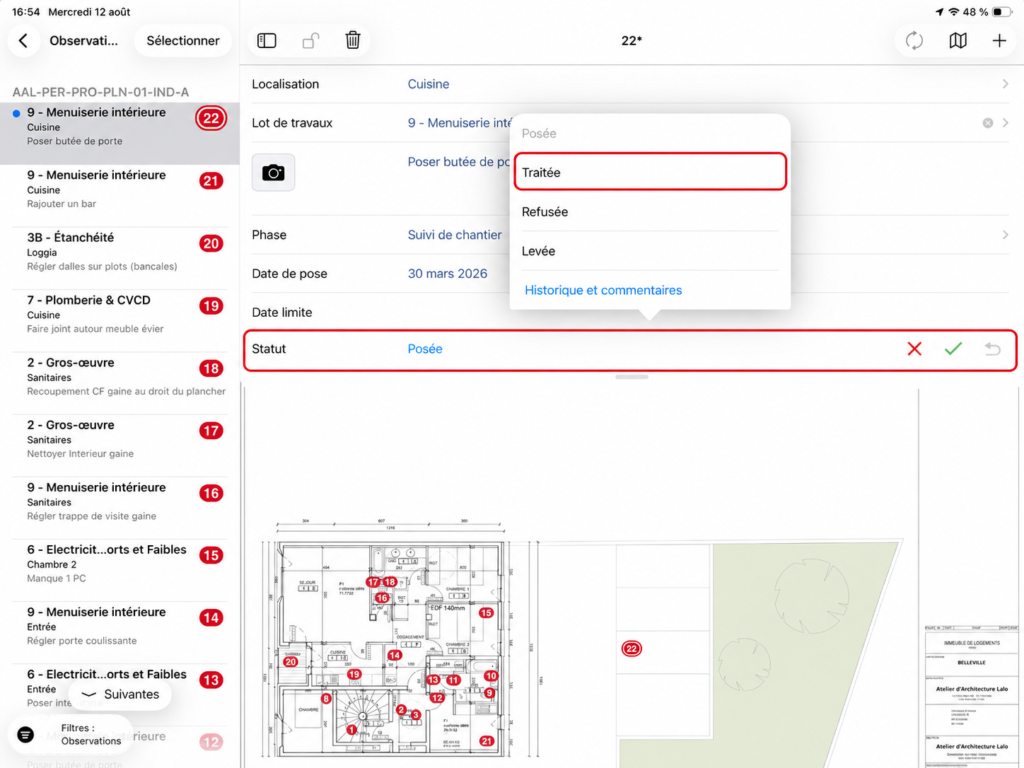
The Solved Status indicates that the work related to the Observation has been completed and is ready for verification.
Mark an Observation as Solved
- Open the relevant Observation.
- Tap the Status Field.
- Select Solved.
- Add a Comment or Photo if needed to document the work.
Good to know
Following the standard workflow described in the guide, a Solved Observation can then be Closed if the work is accepted or Rejected if a correction is required.