Available on
- 📱 iPhone and iPad
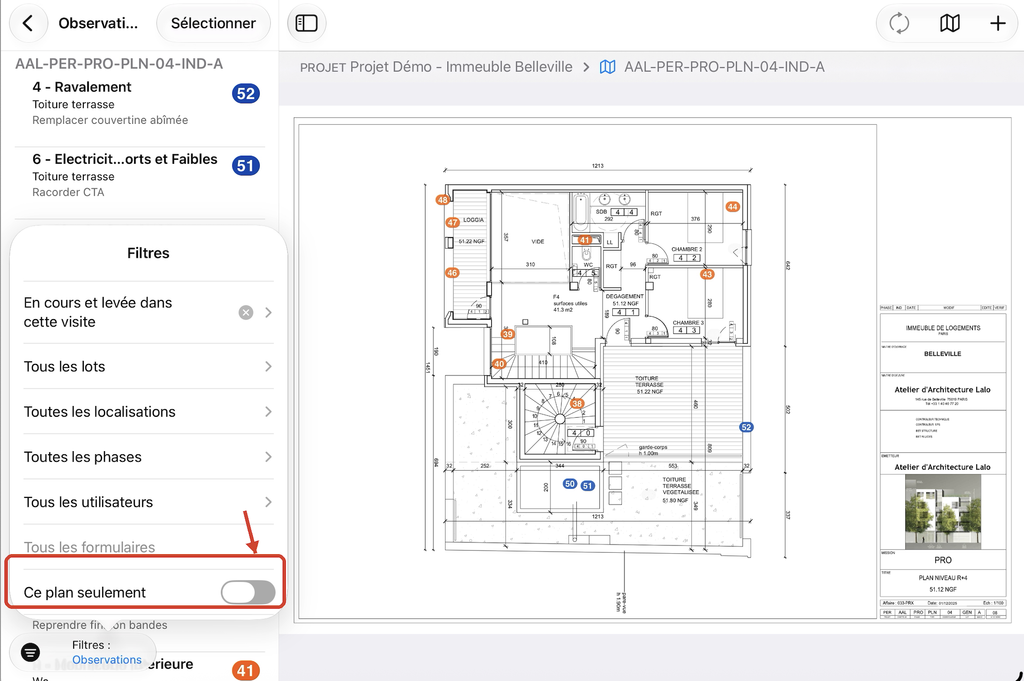
The This Plan Only button lets you limit the display of Observations to the open plan, rather than viewing those from the entire Project.
- Open a plan from the project and display its Observations List.
- Tap Filters, at the bottom of the List.
- Scroll to This Plan Only (the last setting in the panel) and toggle it on or off.
- Off: the List displays Observations from all plans in the Project.
- On: the List displays only Observations from the open plan. Use Next and Previous to view Observations from other plans.