


Available on
- 🖥️ Archipad Web
- 🤖 Android (same steps as the Web version)
AI segmentation automatically analyzes your plan to identify the different rooms. Once the analysis is complete, Archipad displays the number of rooms detected.
Segment a plan
- Open the plan to analyze.
- Click Discover.
- Wait while the plan is being analyzed.
- Review the detected rooms.
- Click Accept to keep the segmentation.
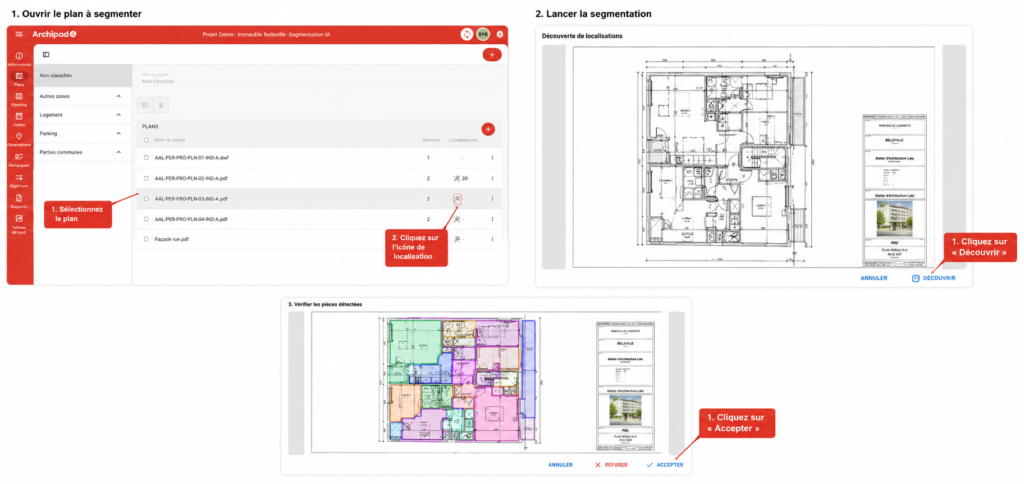
Once the analysis is complete, the recognized rooms appear as colored regions on the plan.
To know
AI segmentation automatically detects most rooms. If some are not recognized, you can rename them manually.
You can also manually modify the Locations detected by AI segmentation. However, these changes are not saved to the Locations List.