


Available on
- 🖥️ Archipad Web
- 🤖 Android (same steps as the Web version)
- 📱 iPhone and iPad
The Closed Status indicates that an Observation has been verified and considered complete.
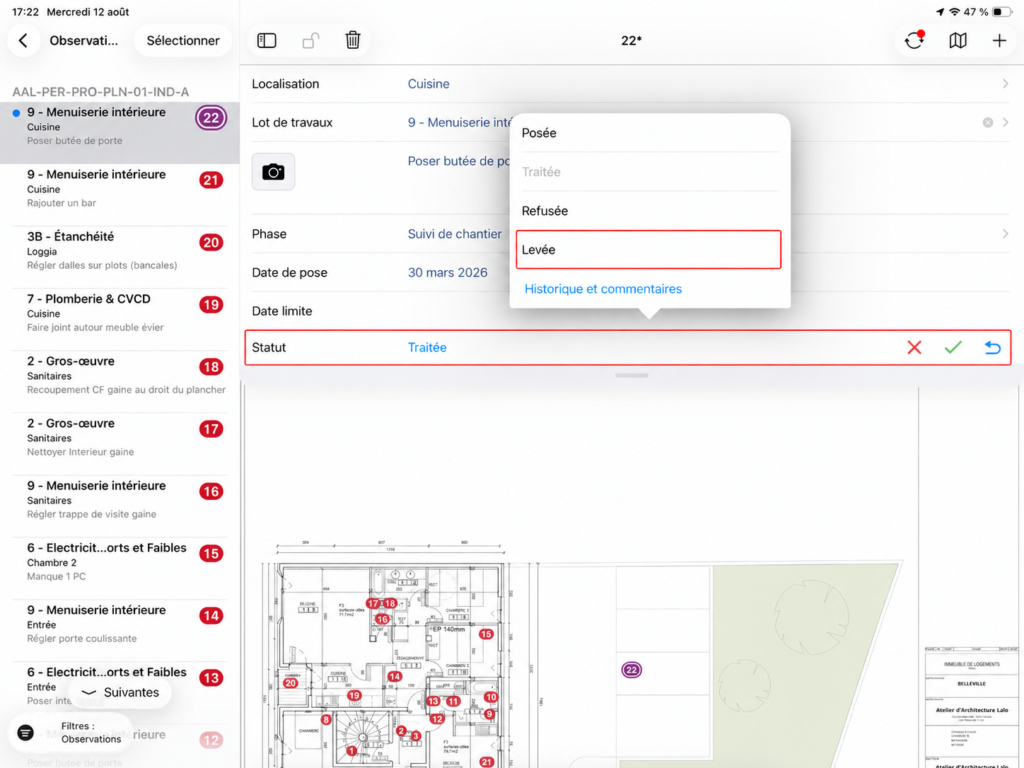
Close an Observation
- Open the Observation in question.
- Change its Status.
- Select Closed.
- Add a Comment or Photo if needed to keep a record of the validation.
To note
Status change options depend on User permissions. A closed Observation appears with strikethrough text in Archipad.