


Available on
- 🖥️ Archipad Web
- 🤖 Android (same steps as the Web version)
- 📱 iPhone and iPad
Add photos and comments to an observation to document work progress and maintain a tracking history.
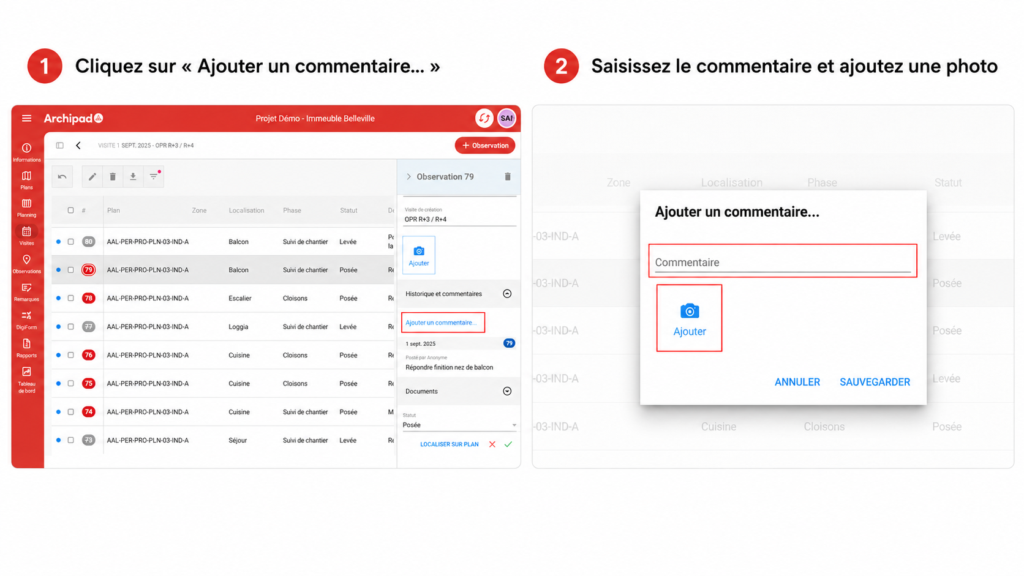
On Archipad Web and Android
Steps
- Open the observation in question.
- In History and comments, click Add a comment…
- Enter your comment and add a photo if needed.
- Click Save.
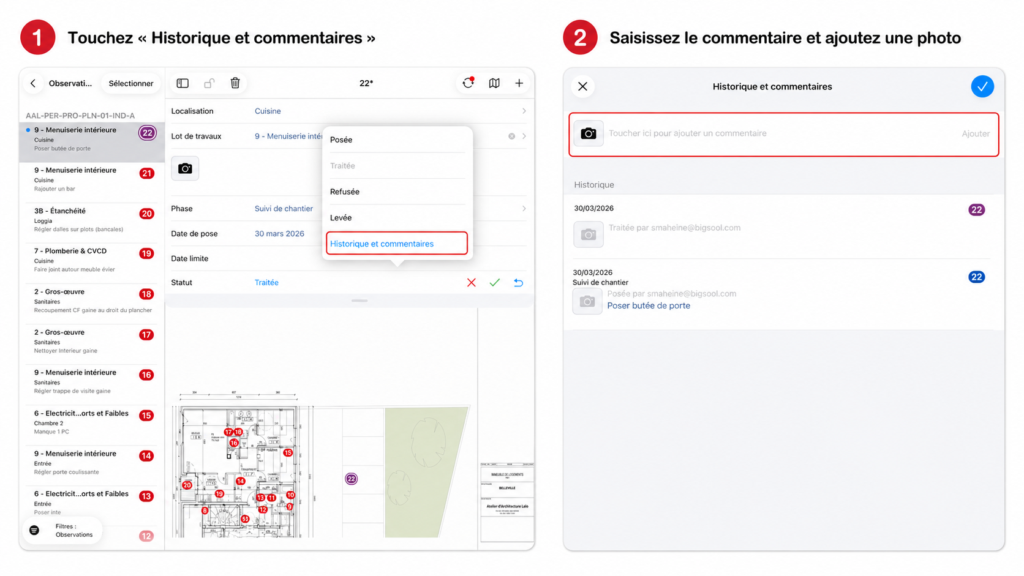
On Archipad App
Steps
- Open the observation in question.
- Tap History and comments.
- Enter your comment and add a photo if needed.
- Confirm the addition.
Good to know
Photos, comments, and status changes are preserved in the observation history, which allows you to track its evolution over time.