


The Observations table provides an overview of all Observations in your Project, regardless of which Plan they were created on. It lets you review them and quickly access key follow-up actions.
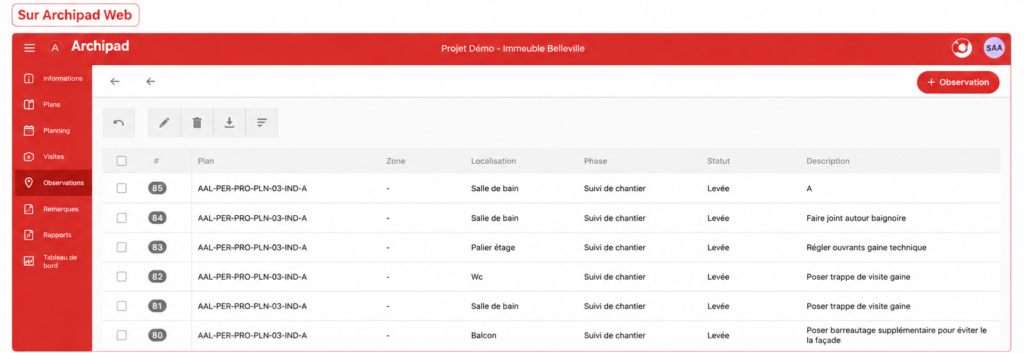
On Archipad Web
- Open your Project.
- Go to Observations.
- Review all Observations for your Project in the table.
- Use the available tools to filter, Modify, or export Observations as needed.
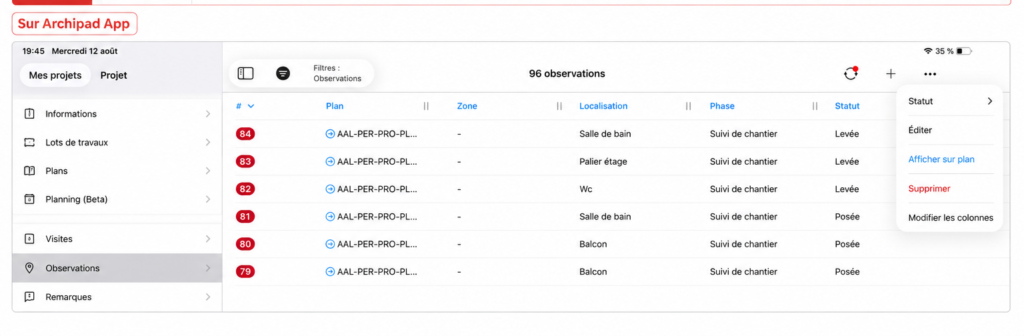
On Archipad App
- Open your Project.
- Go to Observations.
- Review all Observations from the table.
- Use the Actions menu to edit, show on Plan, delete, or Modify columns.
Good to know
From the Observations table, you can also Search, filter, sort, and Modify multiple Observations. The Plan remains the reference for viewing the exact location of an Observation.