


Available on
- 🖥️ Archipad Web
- 🤖 Android (same steps as the Web version)
- 📱 iPhone and iPad
A Meeting lets you document a Site visit, an inspection, a coordination meeting, or a Project review.
It brings together the information recorded during the Meeting, including Participants, Notes, Observations, and Remarks reviewed.
On Archipad iOS
- Open the Project in question, then go to Meetings.
- Tap + at the top right of the Screen.
- Fill in the Meeting date, the Meeting subject, and the Meeting Phase.
- Add Notes if necessary.

On Archipad Web
- Open the Project in question, then select Meetings from the sidebar menu.
- Click + Meeting at the top right.
- Fill in the Date, the Meeting subject, and the Meeting Phase.
- Add Notes if necessary.
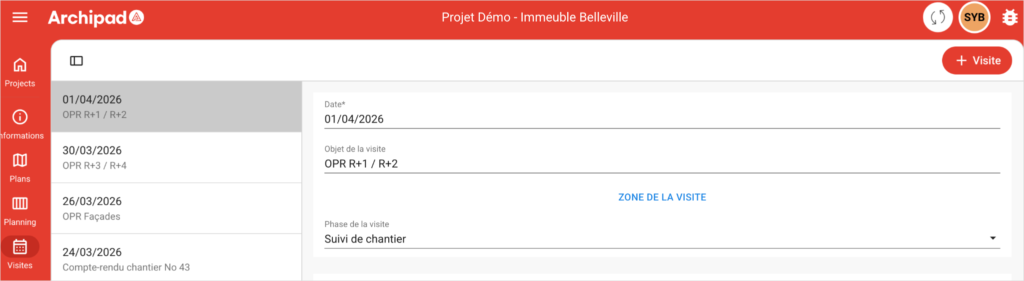
After creating the Meeting, you can link it to a Region and record the Presence of Participants.
Observations and Remarks created or updated during the Meeting are automatically linked to it. They remain also accessible from other sections of the Project.
Good to know: Meetings are optional. You can create and update Observations or Remarks without linking them to a Meeting.