


This feature automatically creates multiple separate reports from the same template, one per work package.
How to do it
- Log in to Archipad Web.
- Configure your report as usual (project, filters, format).
- Click Generate report, then activate the options below in the window that appears.
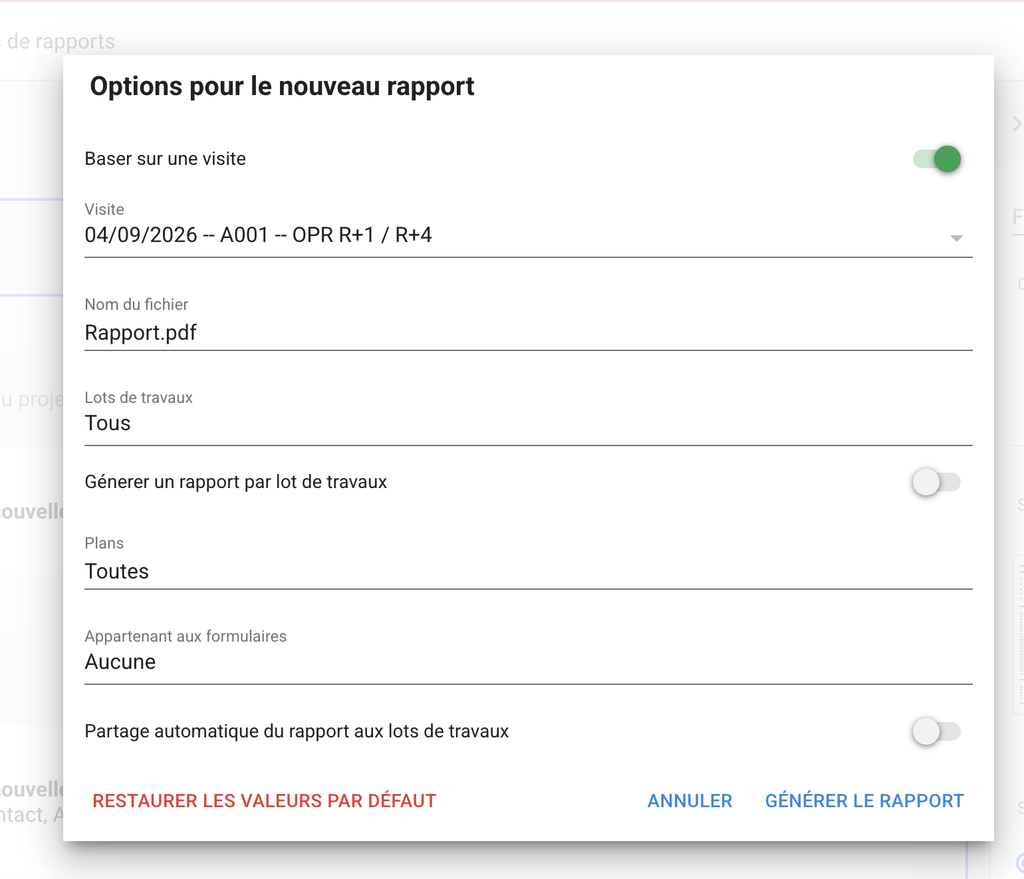
Available options
- Generate report by Work package: creates a separate report for each selected work package, limited to observations for that work package (named [Work package]-[Report name]).
- Automatic sharing to Work packages: sends each report by email to the manager of the relevant work package.
- Display: generated reports appear grouped under a single line in the reports list; expand it to access individual reports.