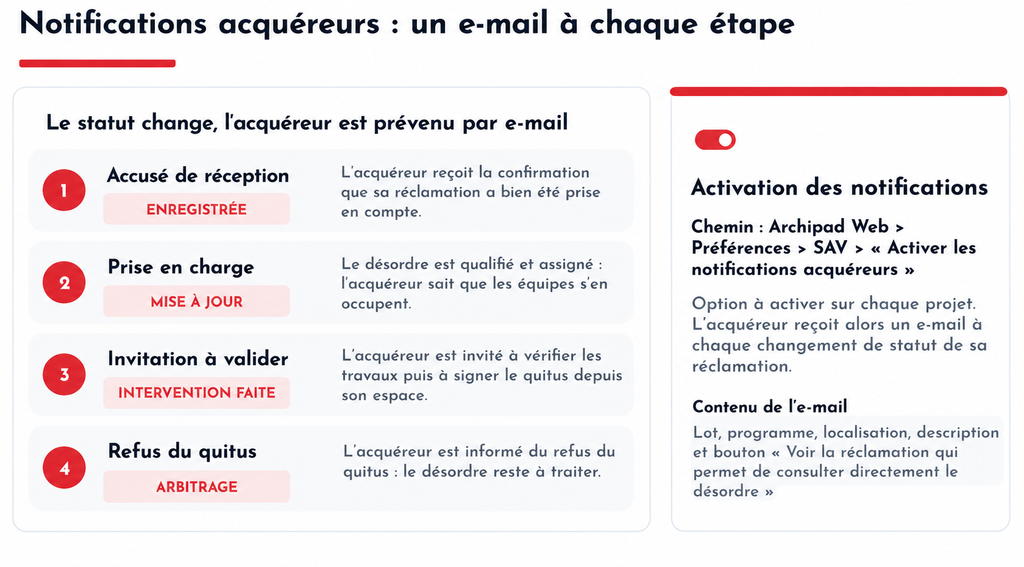
Archipad Service can automatically send an email to the Buyer when their claim Status changes.
Prerequisites
The Buyer must be added to the Contacts for the relevant Region.
Enable Notifications
- From Archipad Web, open the relevant Project.
- Go to Preferences > Service Section.
- Enable Buyer Notifications.
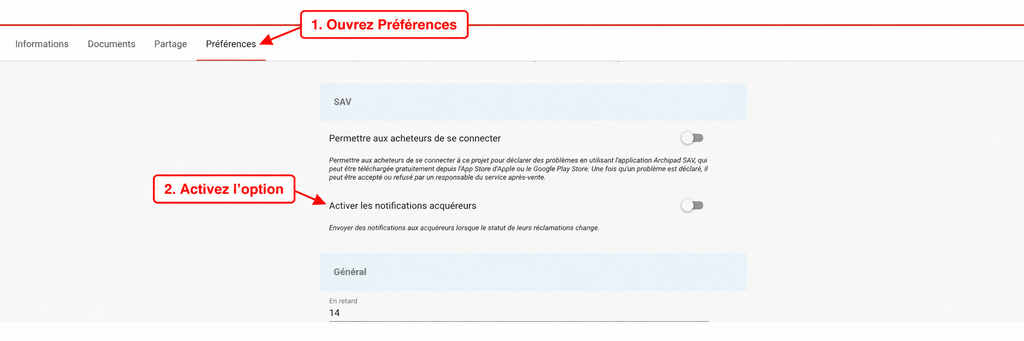
This option must be enabled for each Project concerned.
How It Works
Once the option is enabled, the Buyer automatically receives an email based on the Progress of their claim that was Created through the Archipad Service application
- Recorded: confirmation that the claim has been received.
- Updated: Information about the handling of the claim.
- Completed: invitation to verify the work and Sign the Sign-Off.
- Arbitration: Information if the Sign-Off is refused.
The Email includes the main Information about the claim and allows direct access to it.