


Available on
- 🖥️ Archipad Web
- 🤖 Android (same steps as the Web version)
Invite a participant to collaborate on your Project from Archipad Web by assigning them an appropriate access level.
Steps
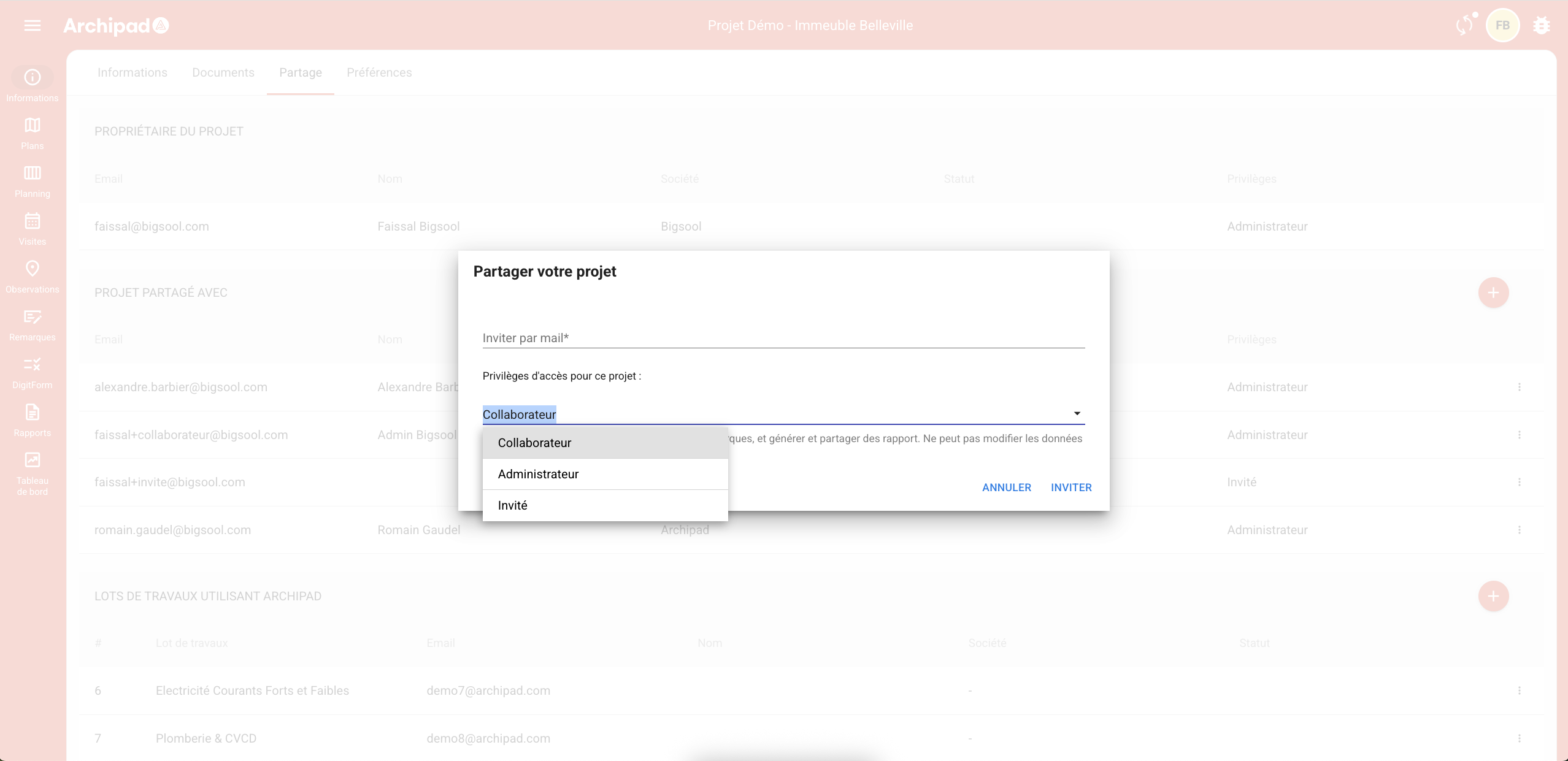
- Open the Project, then go to Information > Share.
- In Project shared with, click on +.
- Enter the participant’s Email address in the Invite by mail field.
- Select the access level.
- Click on Invite.
The participant receives an Email invitation allowing them to access the Project.
Access levels
| Level | Description |
|---|---|
| Administrator | Full access to the Project. |
| Collaborator | Can Solve punch items, Modify Remarks and generate Reports, without modifying the Project Information. |
| Guest | View-only access. |
To note
With the Developer subscription, additional access levels may be available.
Once the Project is shared, Collaborators can Sign in on any platform: Web, Android, iOS