


Available on
- 🖥️ Archipad Web
- 🤖 Android (same steps as the Web version)
- 📱 iPhone and iPad
Plans are your main workspace in Archipad. They let you locate Observations, track site Progress, and navigate through the different parts of your Project.
Archipad Web
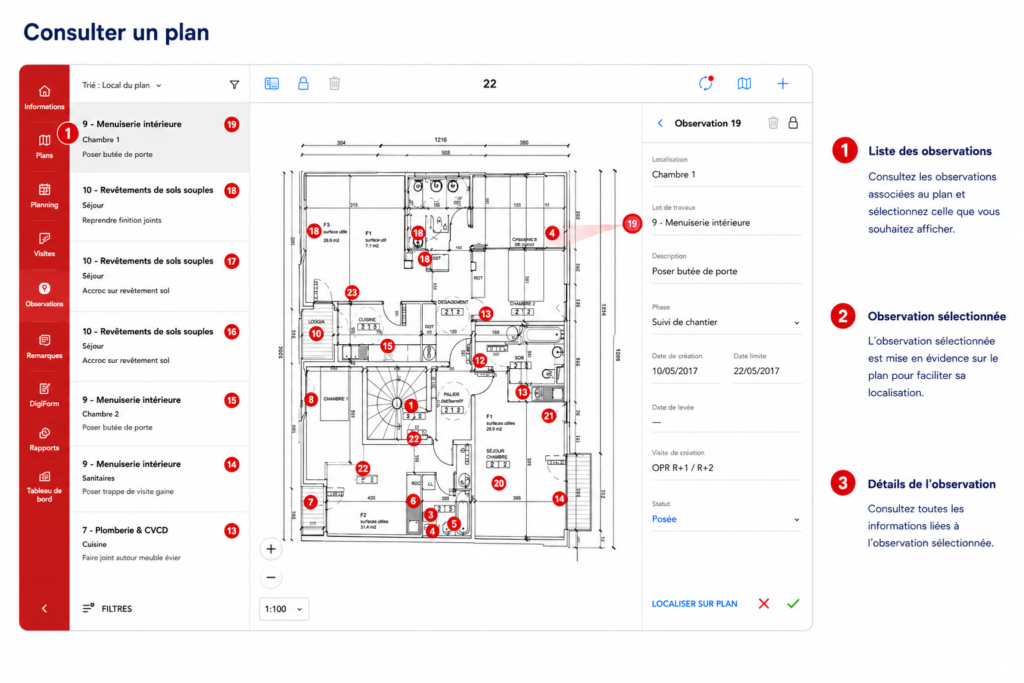
- Open the relevant Project.
- Go to Plans.
- Select the Plan you want to view.
The Plan opens in your workspace.
Archipad iOS
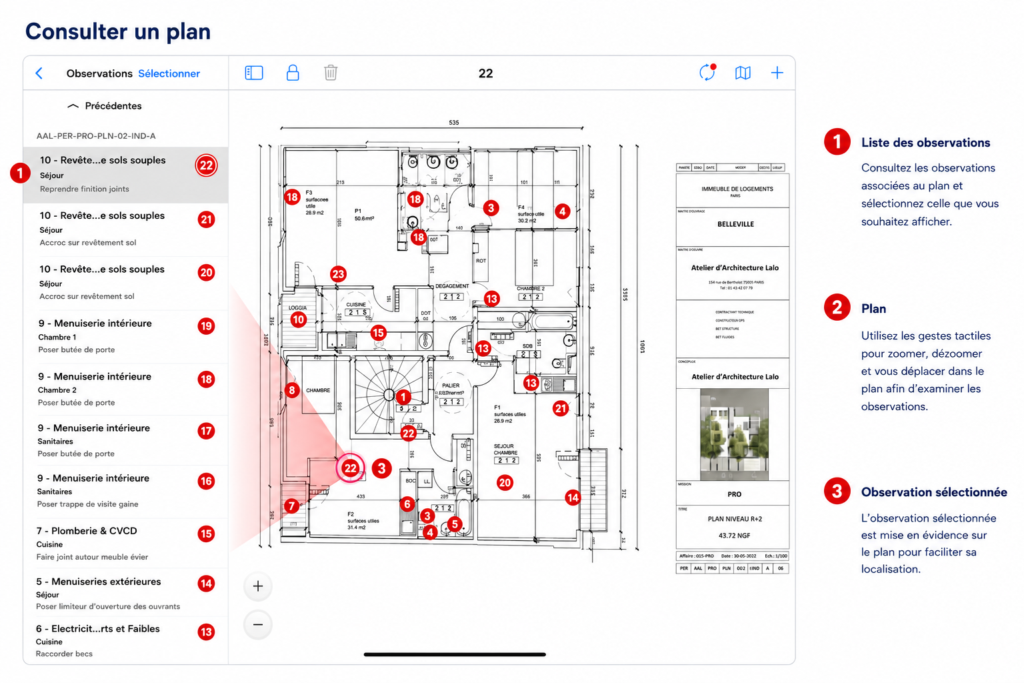
Once the Plan is open, you can:
- zoom in and out;
- pan across the Plan;
- navigate quickly through large-scale Plans.
These tools help you examine specific Regions of your Project in detail and locate Observations.
Good to know
The Plan serves as your Project’s visual reference. All Observations remain linked to their location on the Plan throughout their entire lifecycle.