


Adding or modifying an Remark style is available only from Archipad iOS.
Once the style is applied from iOS, it is also visible on Archipad Web.
The available styles are:
- Normal
- Important
- Urgent
Apply a Style to a Remark
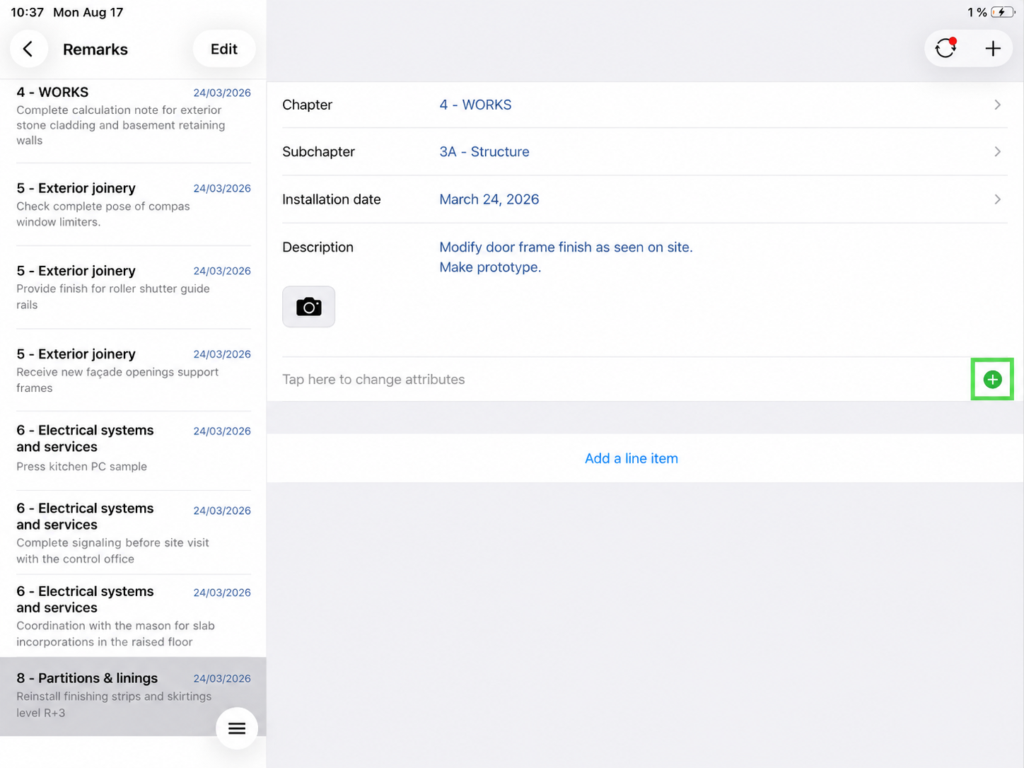
- From the Remarks menu, open the relevant remark.
- Tap the green + button to the right of Tap here to change attributes.
- Select Style.
- Choose the desired style: Normal, Important, or Urgent
- Add a new style by tapping the + button available on this pop-up
- Tap the blue checkmark to confirm.
The style is then applied to the Remark and becomes also visible on Archipad Web.