


Enable self-reporting in your Project Preferences to allow Buyers to Sign in to their project from the Archipad SAV application and report Defects.
This option can only be enabled from Archipad Web.
Enable Buyer Access
From Archipad Web:
- Open the relevant Project.
- Select the Preferences tab to access settings.
- Scroll down to the Buyers Section.
- Enable the Allow Buyers to Sign in option.
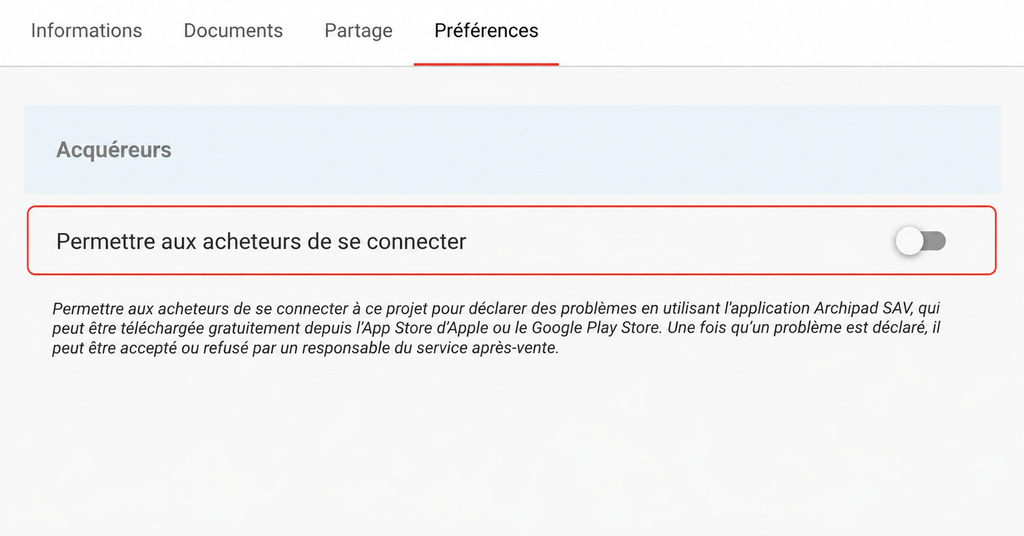
Once the option is enabled, Buyers associated with the Project can Sign in to their project from the Archipad SAV application and report Defects.
Each Defect reported can then be accepted or rejected by an after-sales service manager.
Disable Buyer Access
From Archipad Web:
- Select the Preferences tab.
- Scroll down to the Buyers Section.
- Disable the Allow Buyers to Sign in option.
When the option is disabled, Buyers can no longer Sign in to their project from the Archipad SAV application.
Required Permissions
You must have the necessary permissions to enable or disable the Allow Buyers to Sign in option.
If this option cannot be modified, contact an Administrator for your account.