


Available on
- 🖥️ Archipad Web
- 🤖 Android (same steps as the Web version)
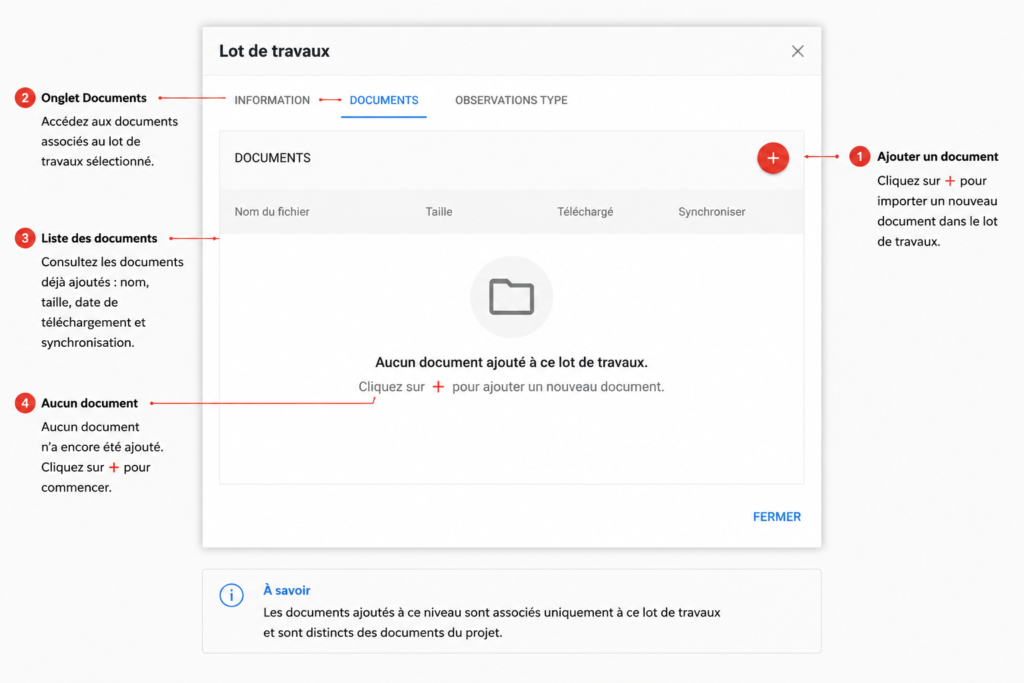
Add documents to a work package to centralize useful files for the contractor or relevant participants.
Steps
- Open the relevant project.
- Go to Information, then to the Work packages section.
- Select the relevant work package to open its details.
- Click on the Documents tab.
- Click on the + button.
- Select the file to import from your device.
- Wait for the import to complete. The document will then appear in the list.
Things to know
Documents added from this screen are associated only with the selected work package. They are separate from documents added at the General project level.