


View all remarksfrom your project and use filters to quickly find the ones you need.
Available on: 🌐 Archipad Web only
View all project observations
- Open the project in question.
- In the main menu, click on remarks
- All project observations are displayed, regardless of which site visits they are associated with.
Filter remarks
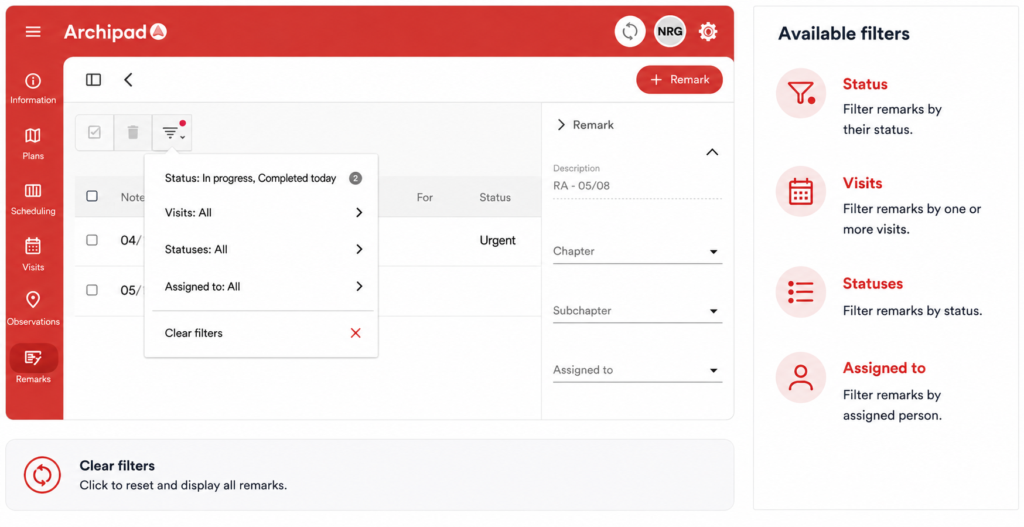
From Remarks, click on the Filters icon.
You can filter the list according to several criteria. To return to all remarks, click on Clear filters.
View remarks from a specific site visit
If you want to view only remarks related to a specific site visit, open the visit in question directly, then access its remarks.
To know
The remarks menu allows you to view observations at the project level, without having to open a site visit.