


Available
- 🖥️ Archipad Web
- 🤖 Android (same steps as the Web version)
- 📱 iPhone and iPad
During your Site visits, track Presence, Absent, Late and Excused attendees. You can also Add Visitors and record Penalties.
Record Presence
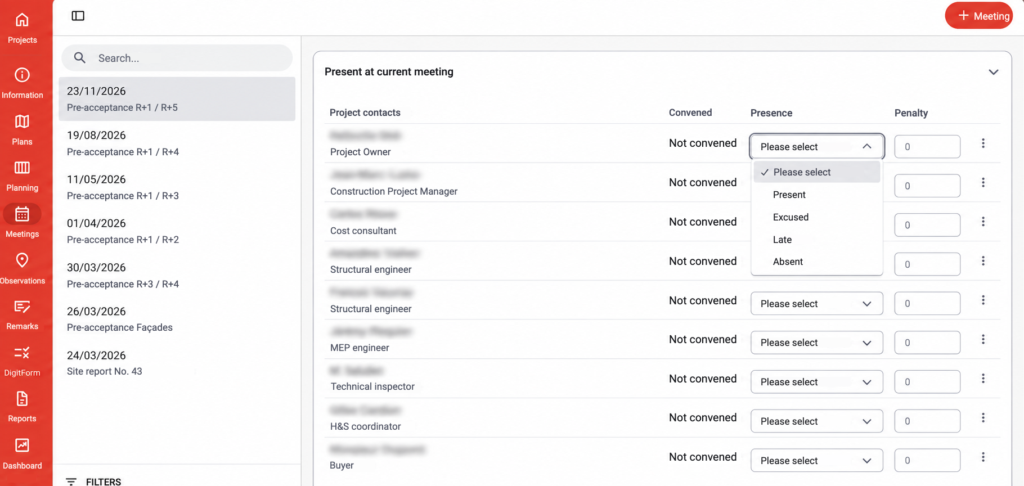
- Open your Meeting, then tap Present at current meeting.
- Find the Participants organized into three groups: project-related personnel, Visitors and Work packages.
- For each Participant, indicate their Status: Present, Absent, Late or Excused.
- If necessary, record Penalties related to absences or delays.
Add a Visitor
Tap Add a Visitor to Select an existing Contact or create a new one.
Visitors added can be listed among the recipients of the Site visit Report.
Track Presence and Penalties
- Counters: check the number of Presence, Absent, Late or Excused attendees. Long press to Modify a Value.
- Penalties: they are carried over from one Meeting to the next. Remember to adjust the amount if they accumulate.